Step 5: Output data setup
This is the fifth and last step in computing traverses.
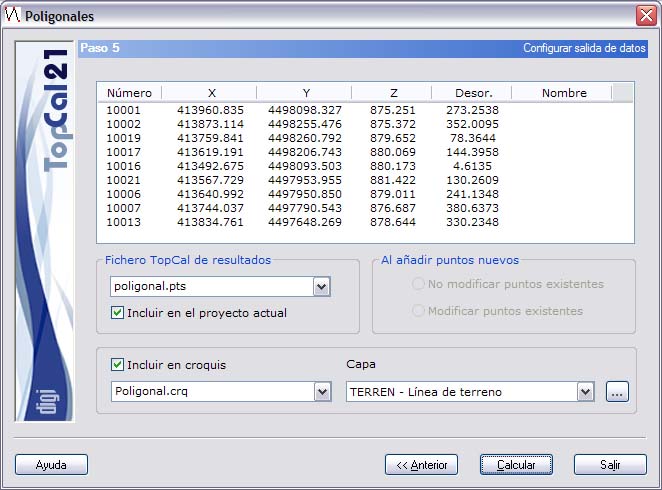
A screen is shown with the final computed coordinates and the way to save them. In addition, you can generate a sketch with the location of the stations of the traverse. The following fields are displayed:
- Final coordinates: A list of the new computed points, their coordinates and their orientation.
- TopCal output file: Select the name of the TopCal file where the points are stored. You can choose one of the existing files or generate a new one. If you want to generate a new file, you can choose whether or not to add the file to the current project.
- Adding new points: If the point file is not new, you can choose whether or not to modify the points with the same number that are in the chosen output file.
- Sketch: Select the name of the TopCal sketch file where a line joining the different stations of the traverse is recorded. You can choose one of the existing files or generate a new one. In addition, you can specify the layer in which that line is recorded.
Once you have set up the output data, click the Compute button to finish the process, or click the Back button to return to the previous step, Step 4: Results and closures.