Point information
This dialog box shows the properties of a point when it is selected from the sketch view. You can modify the data of the point; the program saves the modified data in the point file to which the point belongs. The data shown are the following:
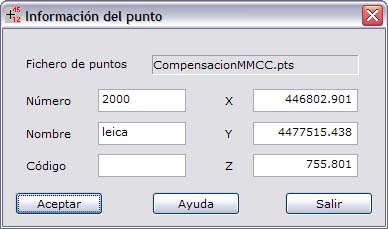
- Points file: Name of the file to which the point belongs.
- Number
- Name
- Code
- Point coordinates
Click the OK button to save the changes of the point. Click the Exit button to close the dialog box.