Step 2: Station setup
This is the second step in generating the field notebook.
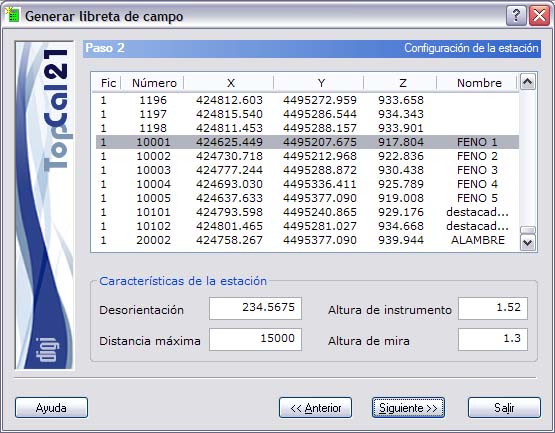
A screen is shown with the points with coordinates stored in the point files selected in Step 1. Select only one station point, from which the corresponding observations will be generated.
The list shown contains the following fields:
- File index: Indicates the index of the point file where the point is stored.
- Point number
- Point coordinates
- Point name
Once you have selected the station point, specify the following characteristics of the station setup:
- Orientation
- Maximum radiation distance of the points
- Instrument height
- Prism height
When you have selected the station, click the Next button to go to Step 3: Target point selection, or click the Back button to return to Step 1: Enter input data files.