Step 2: Station selection
In this second step, a screen shows the points with coordinates stored in the point files selected in Step 1 that act as a station in any of the observation files selected in the same step. In this list you must select the station whose orientation you want to compute.
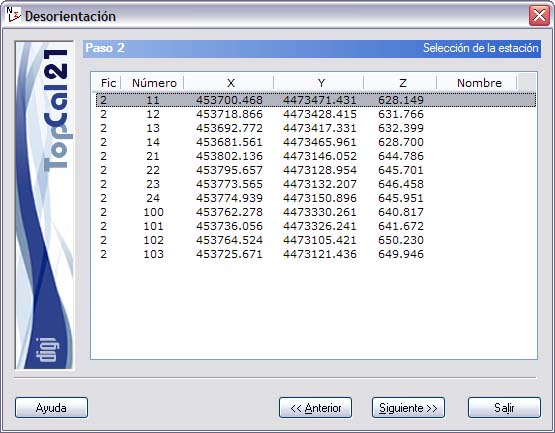
The list that is shown contains the following fields:
- File index: Indicates the index of the point file where the point is stored
- Point number
- Point coordinates
- Point name
After selecting the station, you can click the Next button to go to Step 3: Observation selection, or go back to Step 1: Enter input data files by clicking the Back button.