Arc defined by three points
This tool is used to compute the arc defined by three points stored in the point file. To call up this tool, a point file must be active. The fields shown in the dialog box are the following:
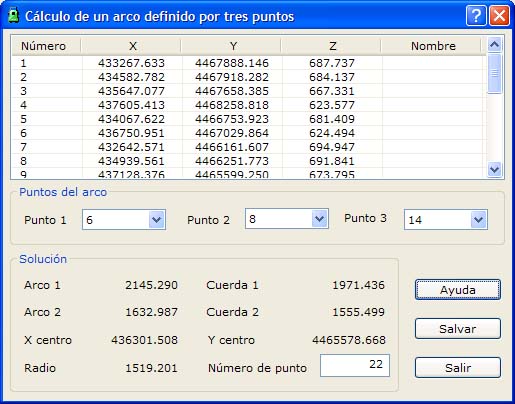
- Point list: List of points of the current file.
- Point 1: Select the first point of the arc from the list.
- Point 2: Select the second point of the arc from the list.
- Point 3: Select the third point of the arc from the list.
- Solution: The two possible solutions are shown:
- Arc 1: Arc length of the first solution, in meters
- Arc 2: Arc length of the second solution, in meters
- Chord 1: Chord length of the first solution, in meters
- Chord 2: Chord length of the second solution, in meters
- X centre: X coordinate of the arc center
- Y centre: Y coordinate of the arc center
- Radius: Radius of the arc
- Point number: Number of the new point
Once the arc has been computed, you can click the Save button to save the center of that arc in the point file, with the point number indicated in the Point number field.