Step 1: Enter input data files
This is the first step in computing direct intersections. The required data are the following:
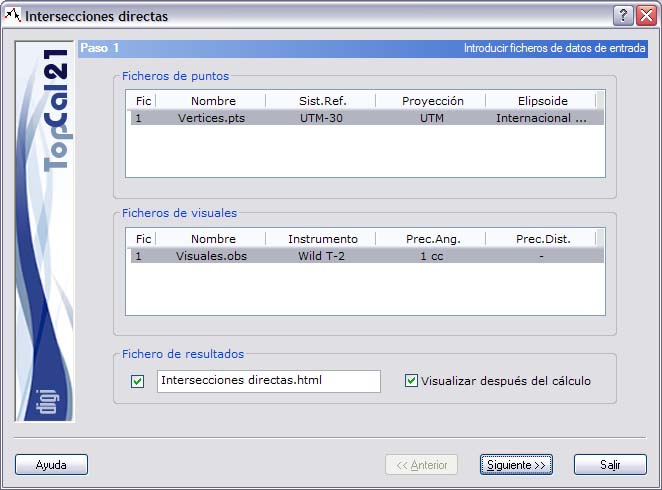
- Point files: Select the project point files you want to use in the intersections. The computation can continue only if all the selected point files refer to the same reference system.
- Observation files: Select the project observation files that contain the observations used in the computation.
- ASCII output file: Enter the name of the output file with the results of the computation. This file can be in html or ASCII format. If the extension of this file is HTM or html, it is treated as html format; otherwise it is treated as ASCII format. You can view this file (with the viewer specified in the Preferences dialog box of the Edit menu) by selecting the check box at the bottom called Show after computation. If you do not want to create this file, clear the check box to the left of the name. The file is created in the project directory.
After entering these data, click the Next button to go to Step 2: Point selection.