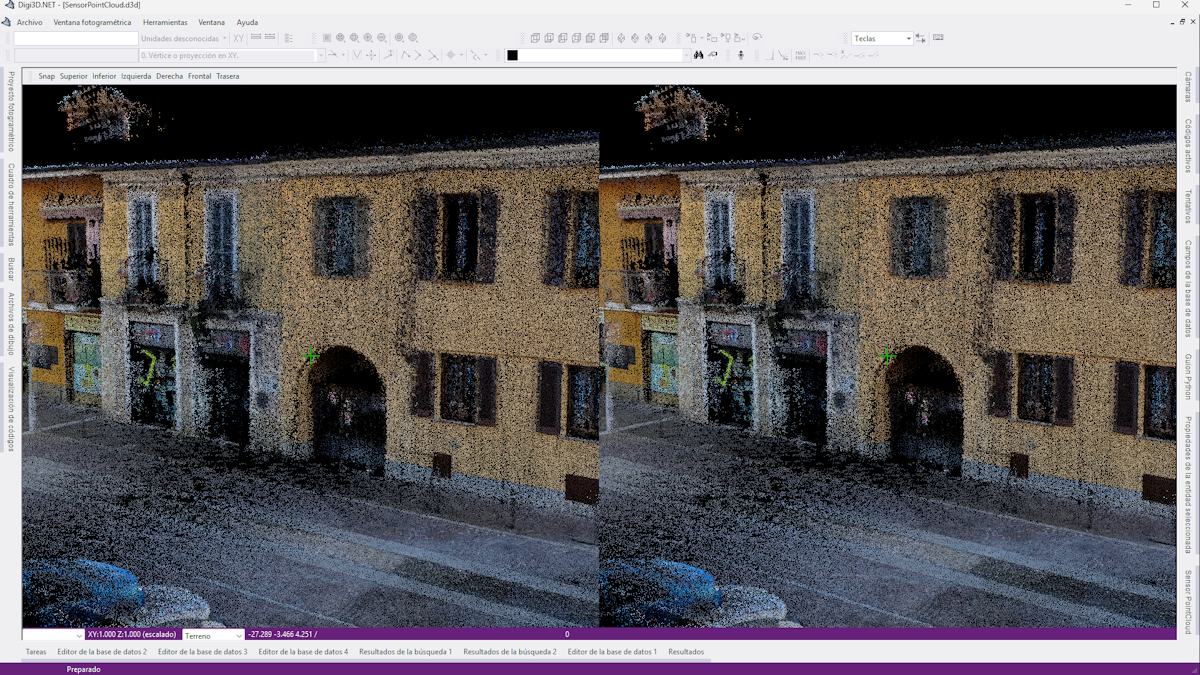
Point Cloud
Stereoplot dense point clouds (E57, LAZ, LAS, PTS, PTX, XYZ…). Position the camera with the mouse or a 3D SpaceMouse and draw on any plane.
Digital photogrammetric workstation with an artificial intelligence (AI) assistant for querying and editing drawings.
Map geographic entities in stereo from dense point clouds, orthophotos, satellite images, and perspective or pushbroom cameras. A product with integrated computer-aided design (CAD) and geographic information system (GIS) tools, with no need for AutoCAD, MicroStation, or ArcGIS.
A single product for stereoplotting from a wide range of sources, with no dependency on AutoCAD, MicroStation, or ArcGIS.
Stereoplot dense point clouds (E57, LAZ, LAS, PTS, PTX, XYZ…). Position the camera with the mouse or a 3D SpaceMouse and draw on any plane.
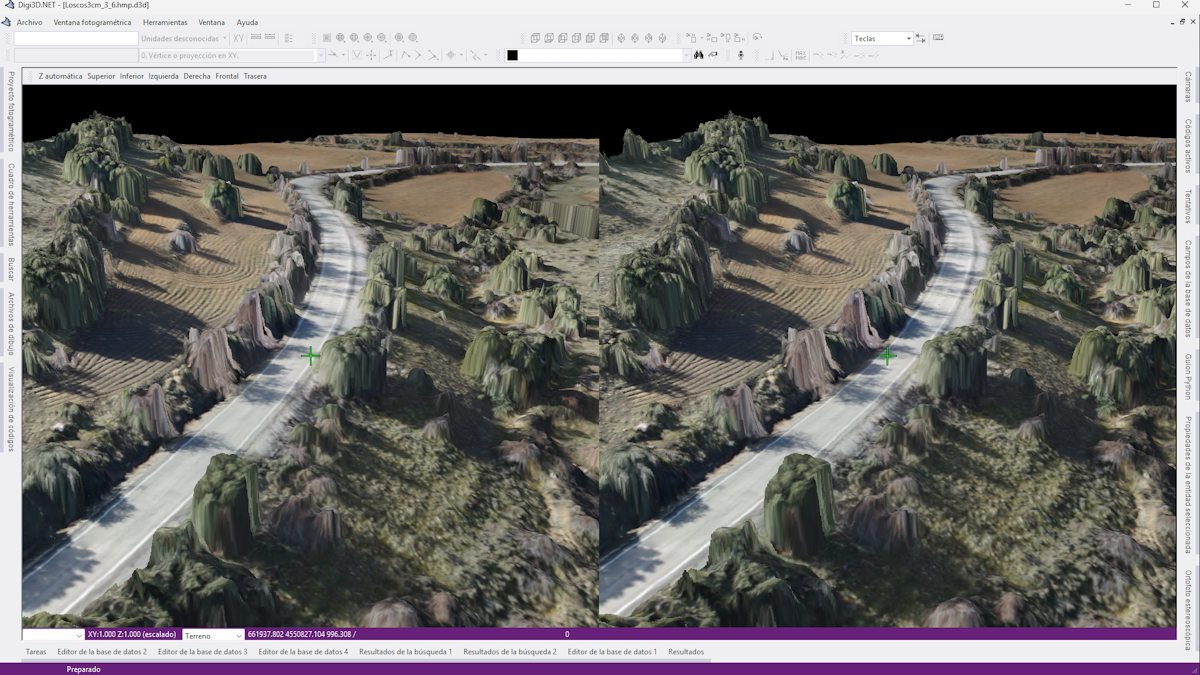
Create a stereo model from an orthophoto and a digital terrain model (DTM) or digital surface model (DSM). Work across the project in one model, adjust elevation automatically, and move the camera in 3D using SpaceMouse.
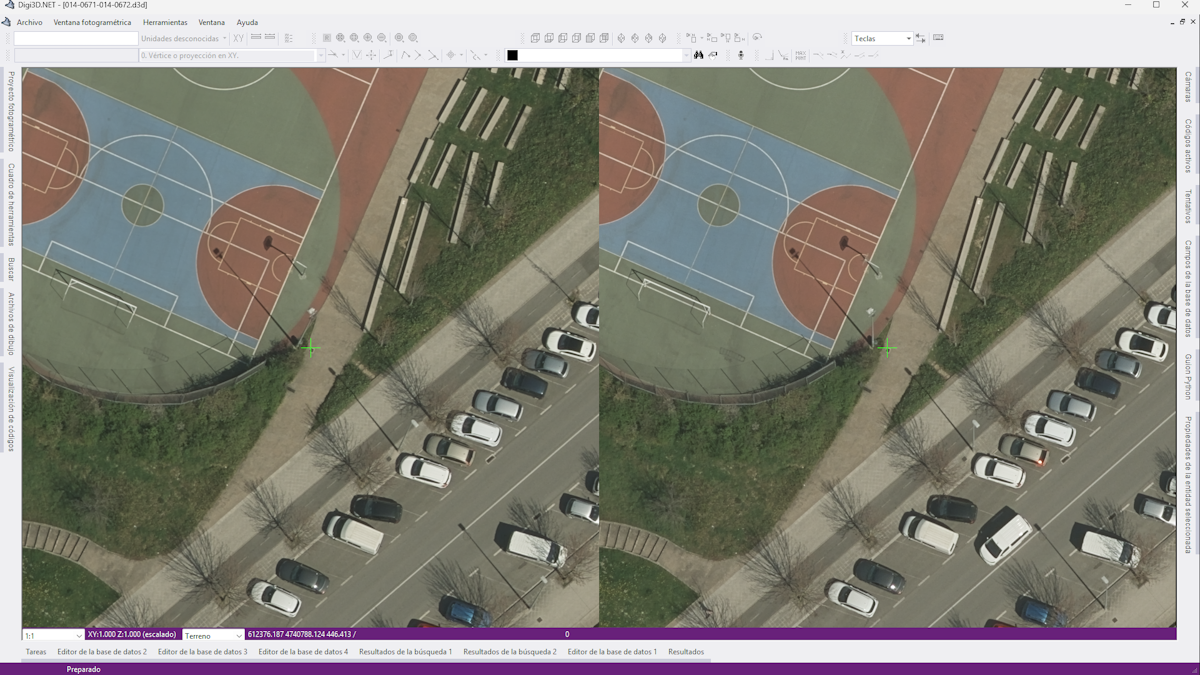
Load perspective camera images and aerial triangulation projects in supported formats, and apply supported distortion correction models.
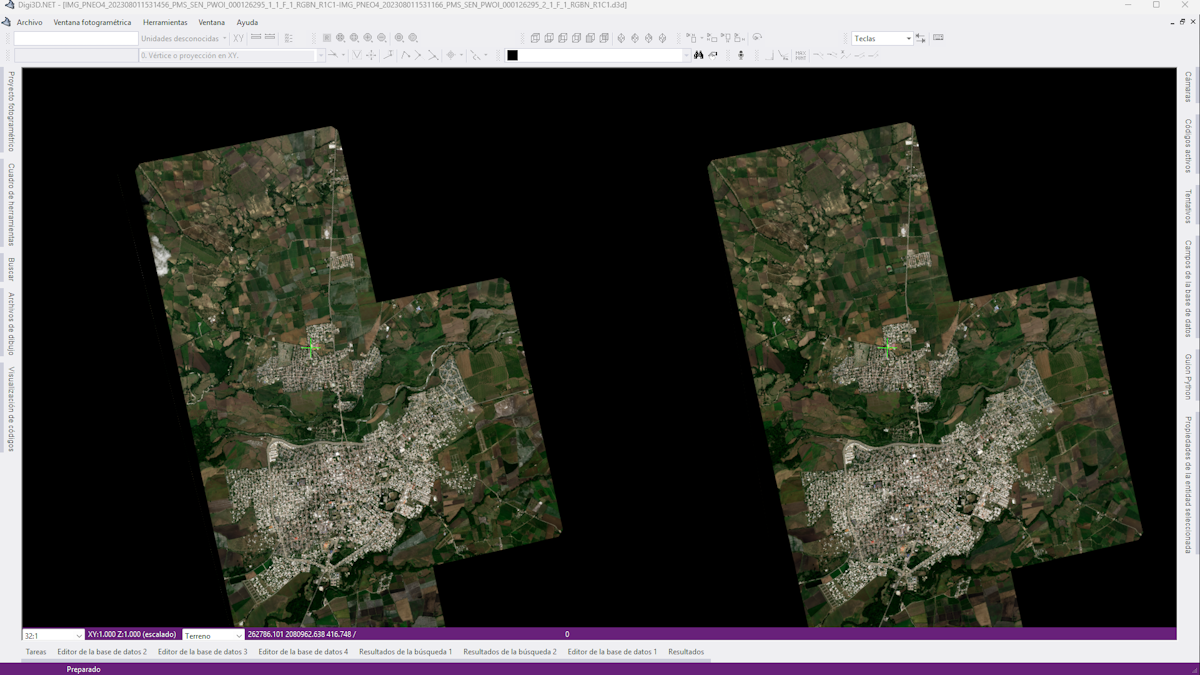
Monoscopic, stereo, and tri-stereo satellite images with rational polynomial coefficients (RPC) (Pleiades, WorldView, GeoEye, Spot…), with block adjustment when ground control points are available.
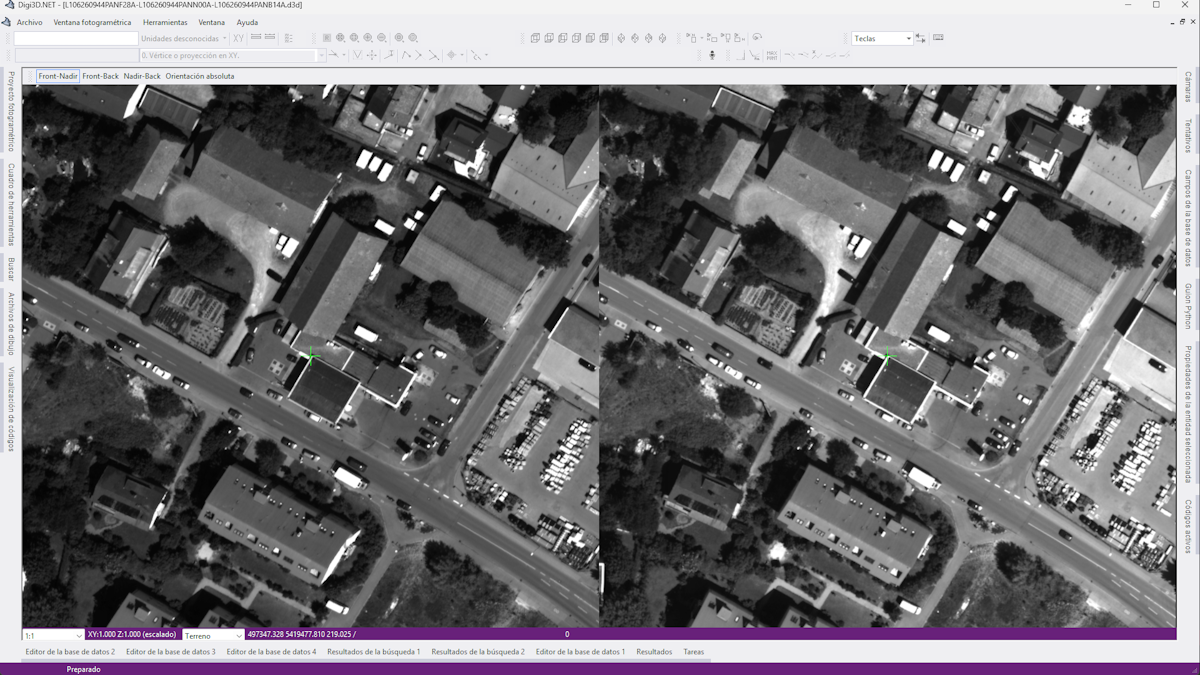
Monoscopic and tri-stereo models from pushbroom sensors (Leica ADS40/80/100, Geosystem 3-DAS-1), with one-click switching between stereo combinations.
The window that displays each sensor's images or point clouds in stereo.
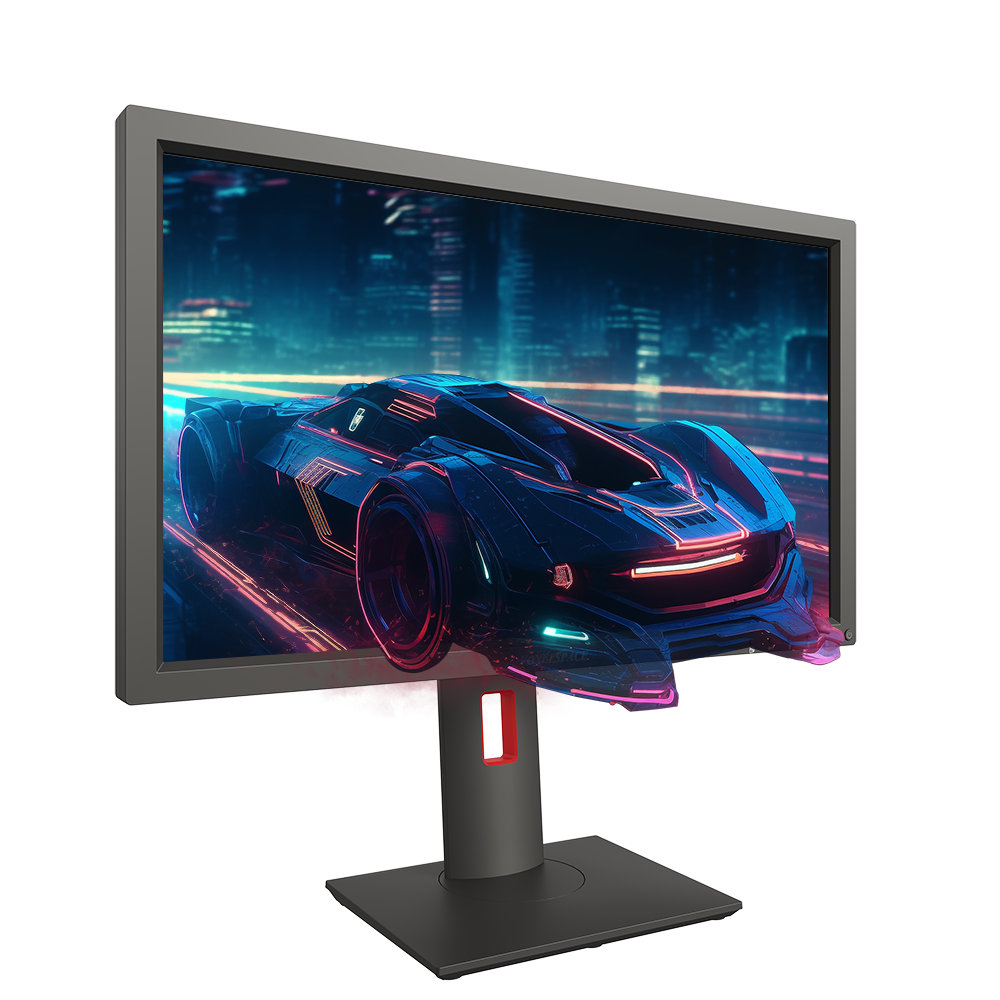
View models in stereo with a 3D monitor (Pluraview, Voxelspace) or anaglyph glasses. Requires a graphics card with QuadBuffer support (NVIDIA RTX/Quadro).
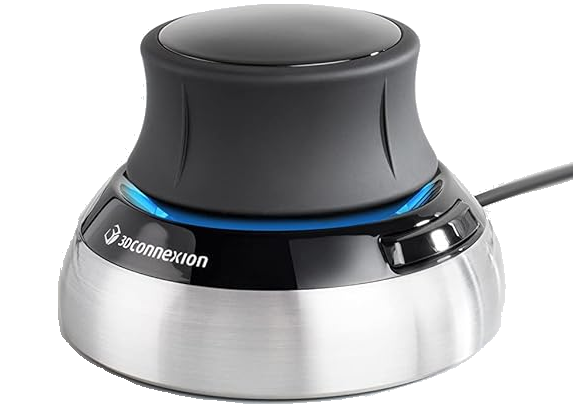
Work with a mouse, a mouse and trackball, a Stealth 3D photogrammetric mouse, or a 3DConnexion SpaceMouse for moving the camera through the point cloud.
Load images in these formats: BMP, COT, ECW, GeoTIFF, JPEG, JPEG 2000, MrSID, and TIFF.
Digitize orthophotos in 2D with real-time vector overlays, including images hundreds of gigabytes in size.
Digitize directly over Web Map Service (WMS) and Web Map Tile Service (WMTS) layers.
Integrated CAD/GIS: geometry drawing and editing designed by and for photogrammetry professionals.
Ask an AI assistant (Claude, by Anthropic) in natural language to query and modify your drawing—“zoom to the first building”, “delete texts with code 050146”—without programming.

Provides approximately 400 drawing and editing commands for photogrammetry and supports editing multiple formats simultaneously.
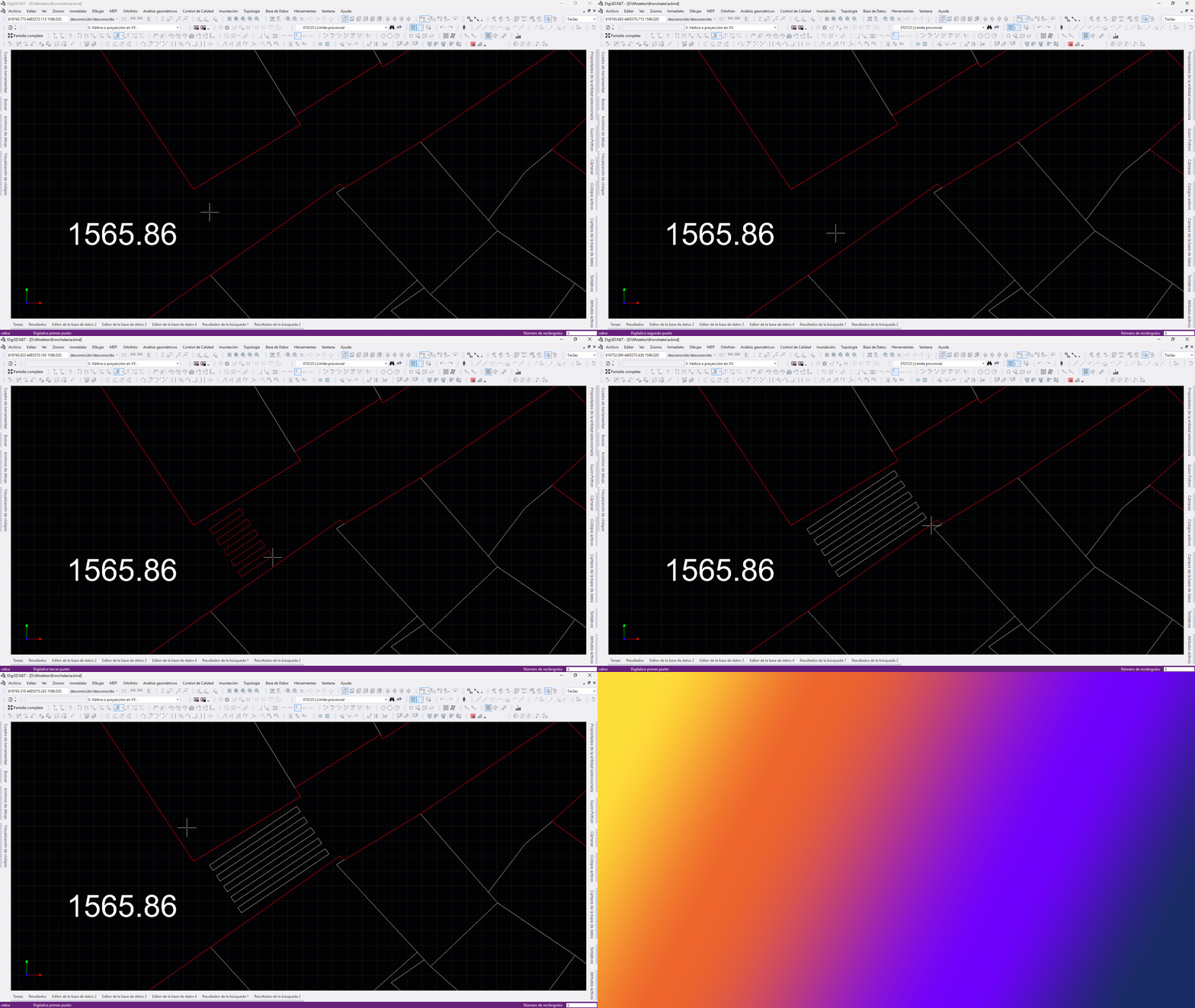
Stairs, crosswalks, grids, road markings, 3D parallel lines, complex entities, dimensioning, and contour labeling… all designed for drawing and editing three-dimensional geometry.
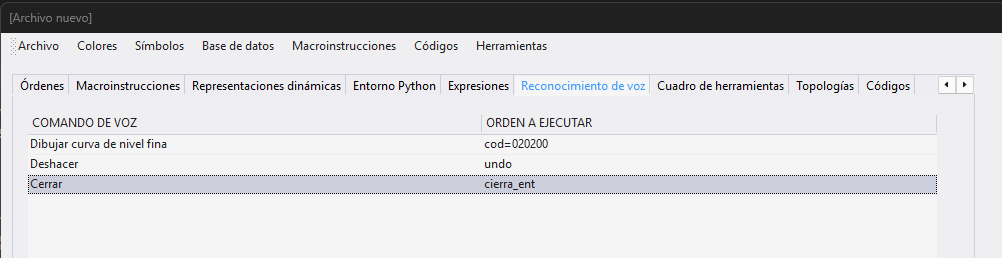
Run commands with your voice: configure phrases that trigger actions to minimize mouse use and improve productivity.
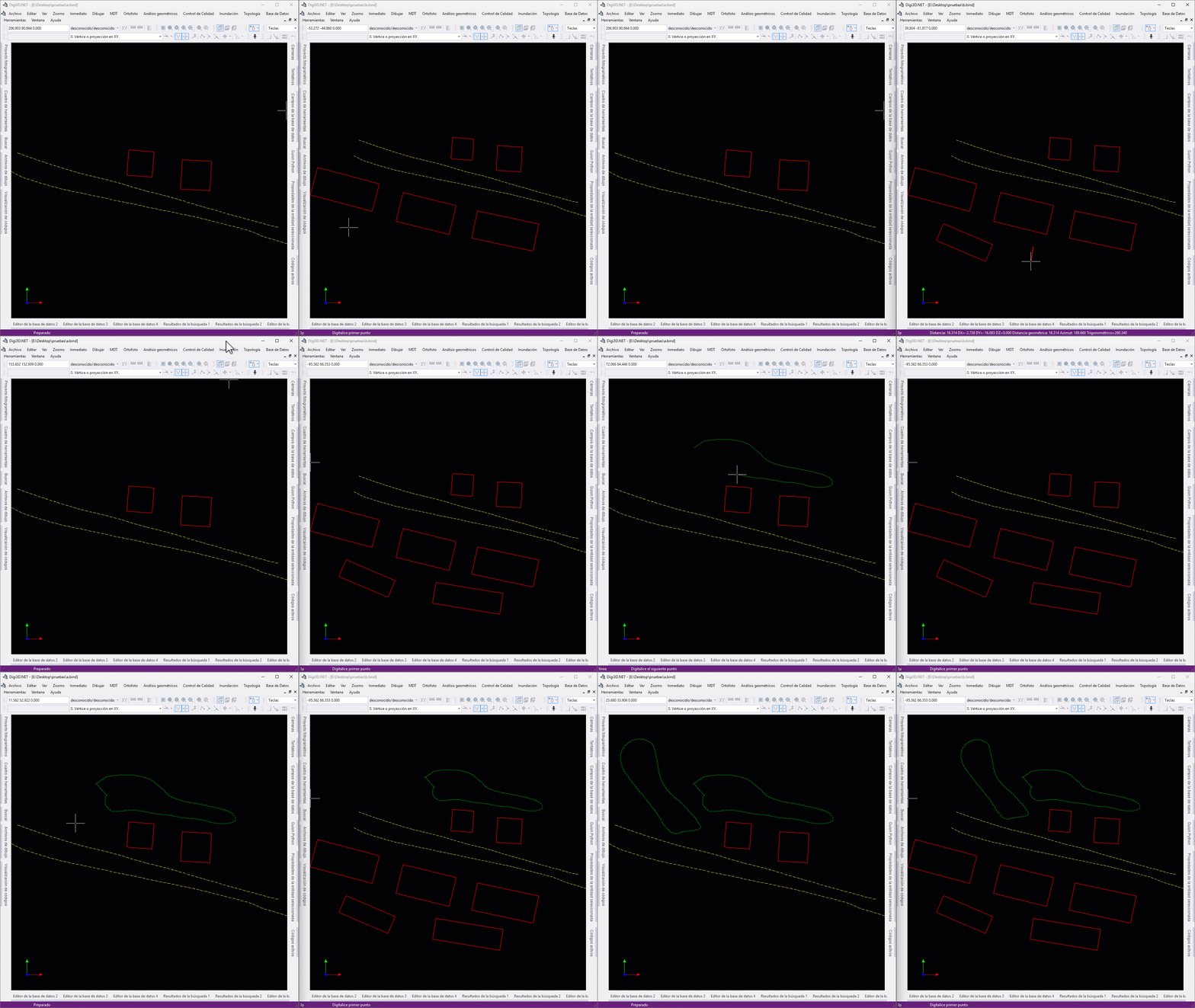
Load another user's drawing as a reference. Additions to the referenced drawing appear in your view, and deleted geometries are removed from your view. Multiple operators can work at the same time.
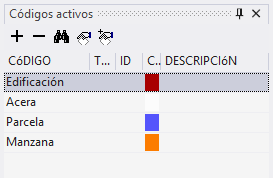
Assign multiple codes to the same geometry. When exporting to formats that do not support multiple codes, such as Shapefile, the line is replicated in each layer.
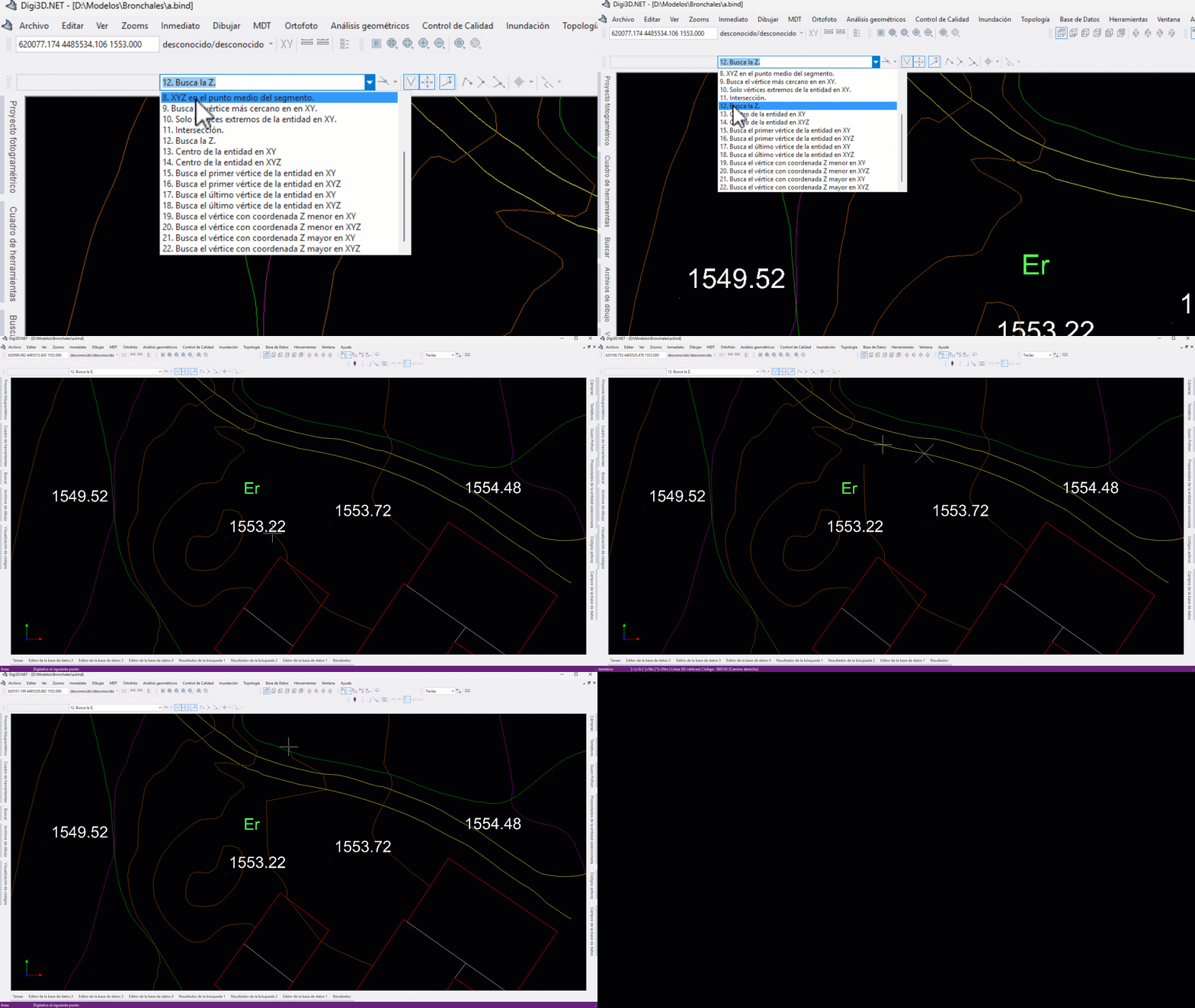
23 combinable modes for snapping the drawing cursor to geometry (vertices, segments, intersections, “Find Z”…) and automatic selection of snap modes based on the active code.
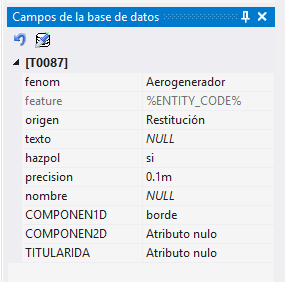
Attributes stored with the geometry (Shapefile, Geomedia, FileGDB) or linked to an external database (Access, SQL Server), with panes for editing fields and centering geometries.
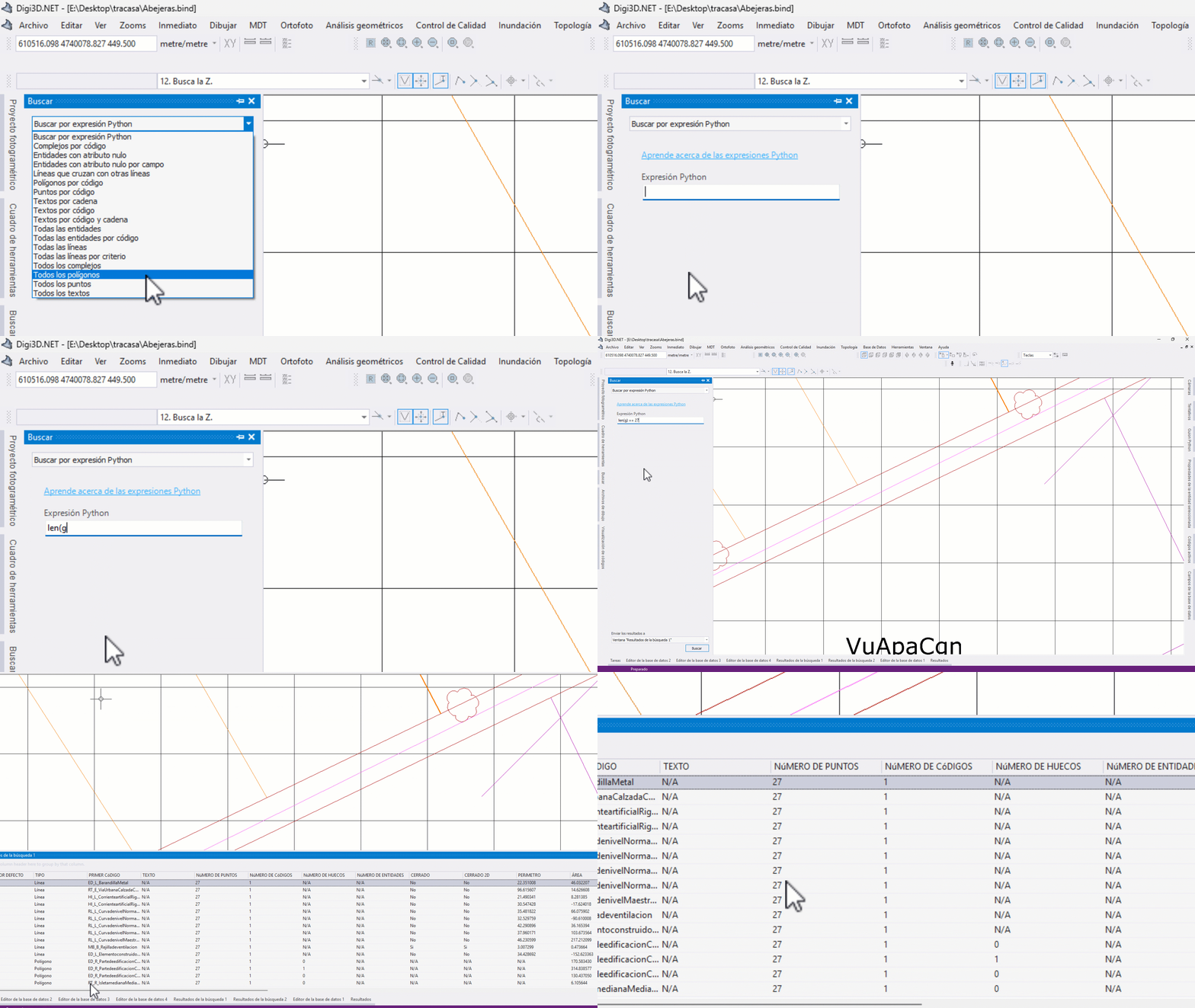
Find geometries by criteria or Python expressions and send the selection to a command. The criteria are open source (DigiNG.Search).
Open the active coordinates in Google Maps/Street View, Bing Maps, OpenStreetMap, or SigPac to help digitize place names.
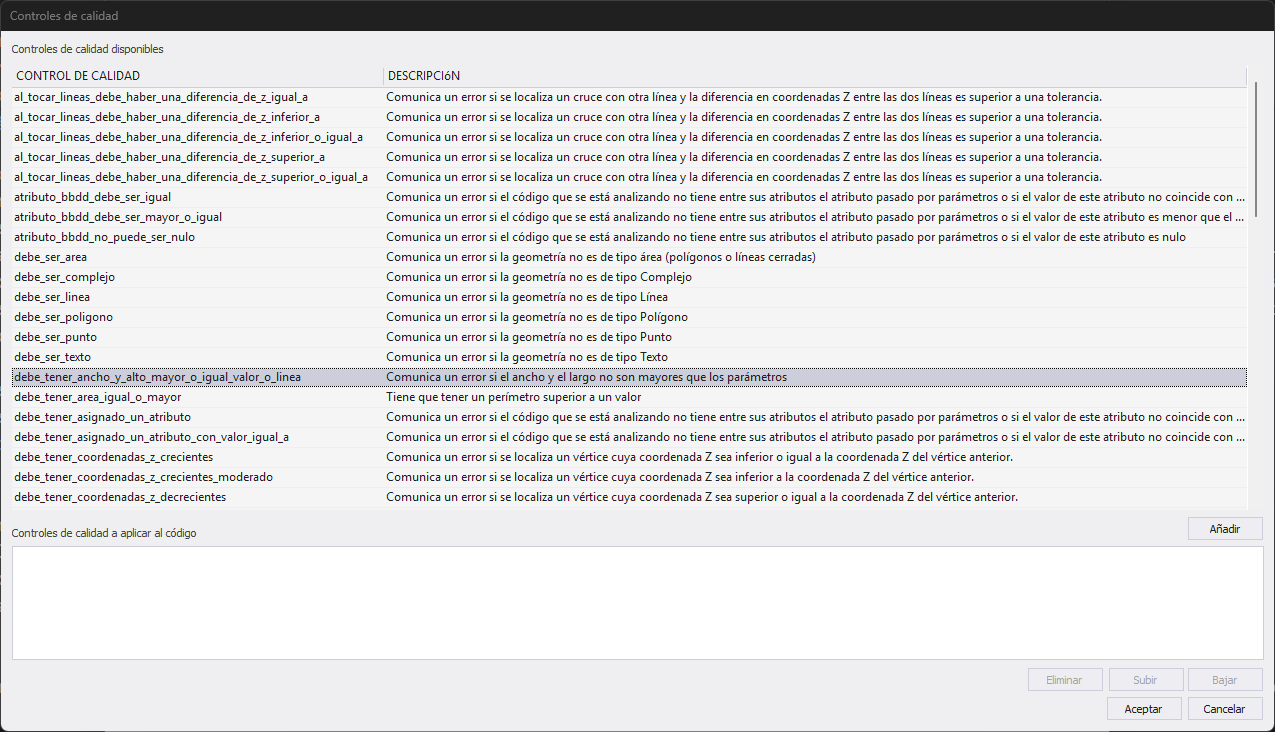
Assign quality checks by code and validate geometry as you draw or on demand. Hundreds of Python checks, available on GitHub.
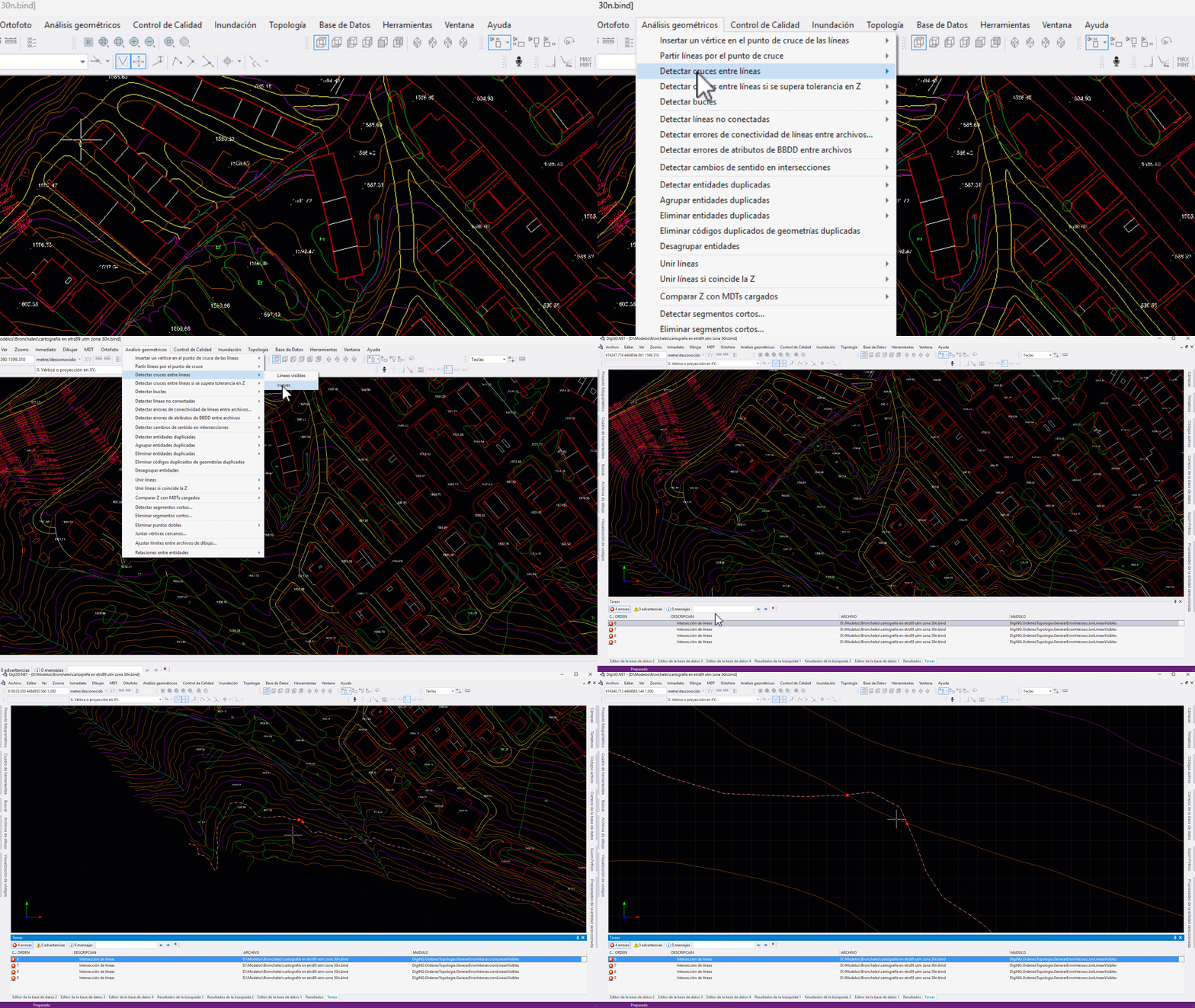
Intersections, loops, connectivity, duplicate geometries, short segments, line joining, comparison with DTM/DSM… dozens of analyses with one click.
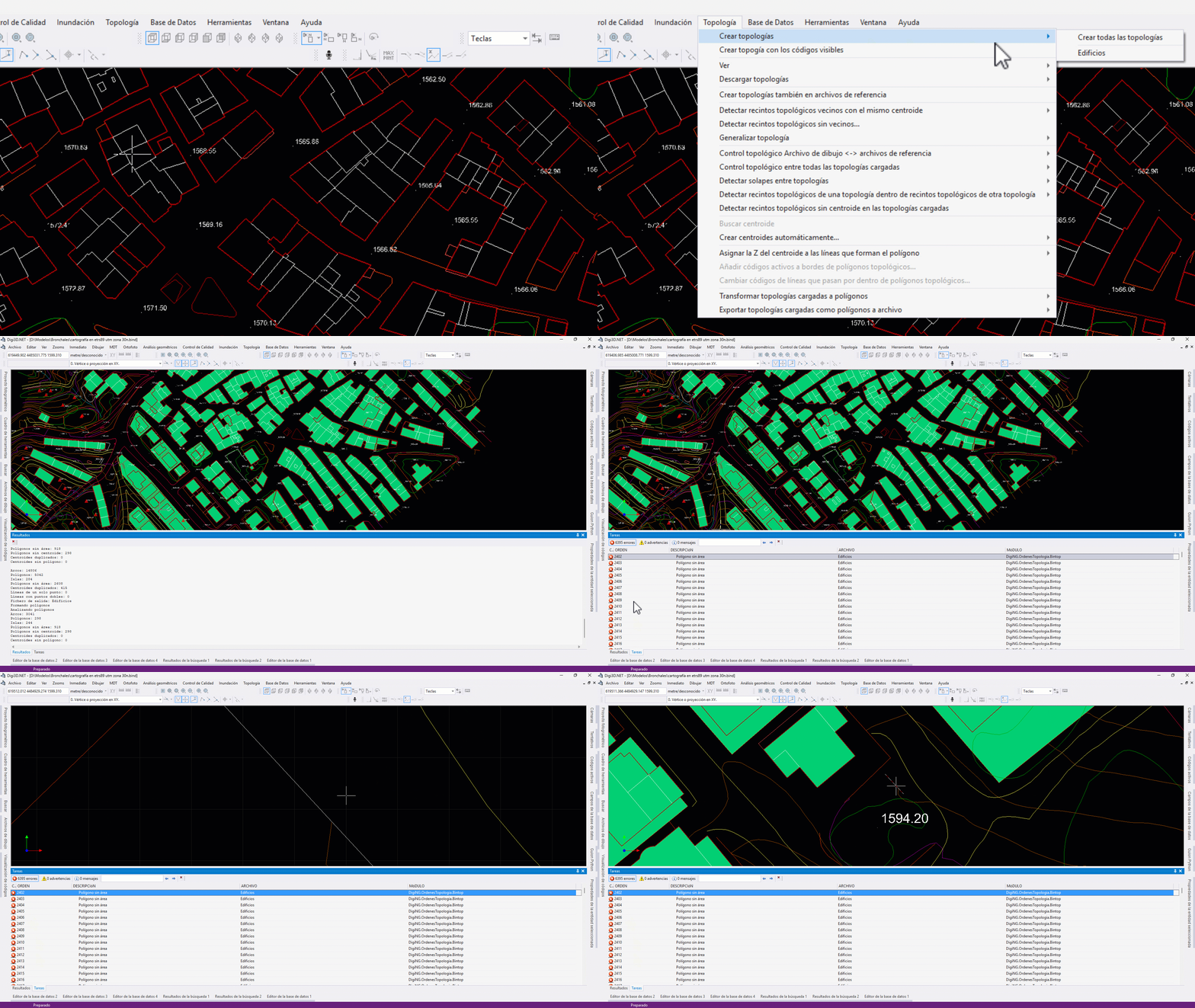
Create polygons by flood fill from visible geometries. Configurable topologies and topological checks across different drawing files.
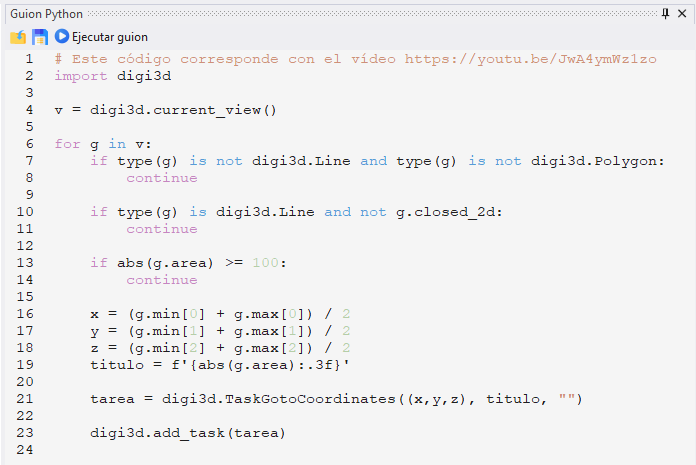
Built-in Python interpreter for creating your own commands and scripts with access to the application's Python application programming interface (API). Sample commands on GitHub.
.NET 10 environment for adding commands, panes, and menus, or creating console utilities that modify drawings. Examples on GitHub.
Work natively in CAD and GIS: BIND, DGNv8, DWG, SHP, Geomedia, GeoPackage, FileGDB, PostGIS… and many more as reference files (point clouds, orthophotos, DEM).