INS_PHOTO_2P_AA
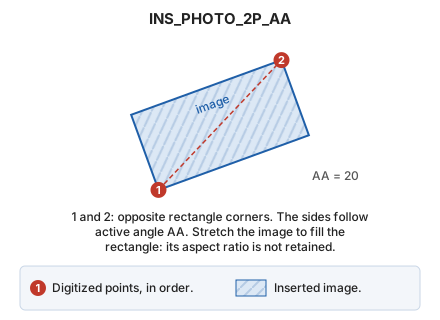
Insert an image into the drawing file using two points and the active angle.
Parameters
Does not accept parameters.
Notes
First set the active angle (AA). Image sides follow that angle.
Choose the image file, then specify opposite corners of its rectangle. Stretch the image to fill the rectangle even if its aspect ratio changes. Enter points in these ways:
- Graphically, with the cursor/mouse.
- Enter coordinates using the keyboard (XY).
- Read points from a file (N).
Command characteristics
| Command type | Interactive command |
|---|---|
| Repeats automatically | No |
| Menu option | Draw/Image/By two points and active angle... |
| Toolbar | This command has no associated toolbar button |
| Extension | DigiNG.OrdenesRaster.dll |
| Implementation | Native |
| Related variables | AA — active angle |
| Related commands | INS_PHOTO INS_PHOTO_3P |
| Internal name | {3402C7CF-6346-4C66-A043-EE0869AF6F4C} |