Compress dongle
Dongles have memory for approximately 20 activations, depending on the size of the configuration file obtained by querying computer hardware. You can connect a dongle to different computers and activate them.
Activating more than 20 computers can exhaust memory, requiring deletion of activations and starting again.
A single-user dongle may never encounter this, but a network dongle with, for example, 250 licenses can.
Run Delete activations and rentals and select Compress dongle's memory (activate only if necessary, because it can cause to fail the licensing with small hardware changes) on the password page.
Warning:
Activating a computer in compressed memory stores a license hash, a number, rather than the full computer license. A hardware change, such as connecting a USB drive to another port, or a major operating system update may change the hash and require reactivation.
Programs released before June 22, 2015 are incompatible with compressed dongles. Update all programs before compression.
Once compressed, each activation with Activate computer stores licenses in compressed form.
To remove compression, run Delete activations and rentals, again without selecting Compress dongle's memory (activate only if necessary, because it can cause to fail the licensing with small hardware changes).
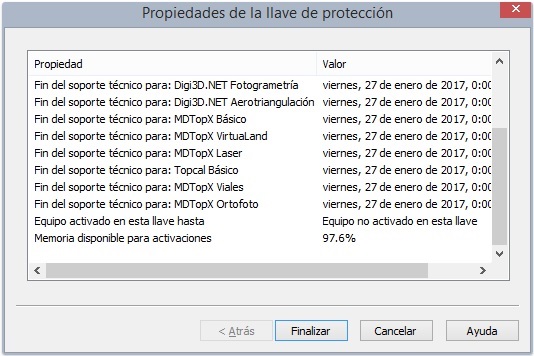
We also made Check licenses display the dongle's free-memory percentage: