Non-selectable codes in Digi3D.NET
We just added a new functionality in Digi3D.NET, which is the possibility to indicate that a certain code cannot be selected as active code.
This functionality serves to prevent us from digitizing new entities with that code, but making the code exist.
For example, suppose we have to update a map and we want to differentiate the original geometries and those that we have digitized for the update. In this case, we could have two groups of codes, one whose name starts with "O" from original and others that start with "N" from new.
So for example, the code "O1" could be the original river line code and the code "N1" the updated or new river line code.
We will have to configure a code table with the two codes, but we do not want the user to select the code "O1" to digitize, although we are interested that this code is in the code table so that it has a representation and that when attempting it its title is shown to know that it is an original river line.
To do that, we have to indicate in the program Code table editor that this code is not enabled by means of the Enabled property.
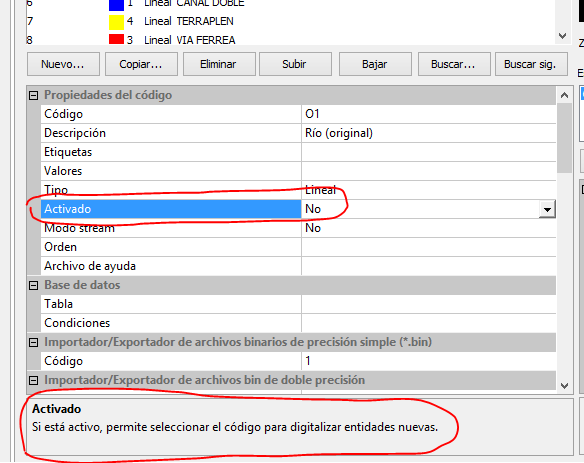 This will cause the code not to appear in the code bar of Digi3D.NET or in the Active Codes pane, but to still exist.
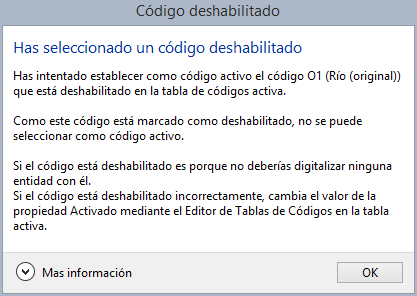
Because it does not appear on the Code toolbar or in the Active codes pane, you cannot select the code that way. However, you can still run COD=O1, in which case Digi3D.NET displays the following message box telling you that you cannot select that code:
 Below you can see a video of this new feature in action:
[youtube:http://youtu.be/fu-FHJZK7Ak]