
Export cloud
Digi21 · Feature of Lot Of Points · lop.exportacion
Exports Lot Of Points point clouds to LAS, LAZ and E57.
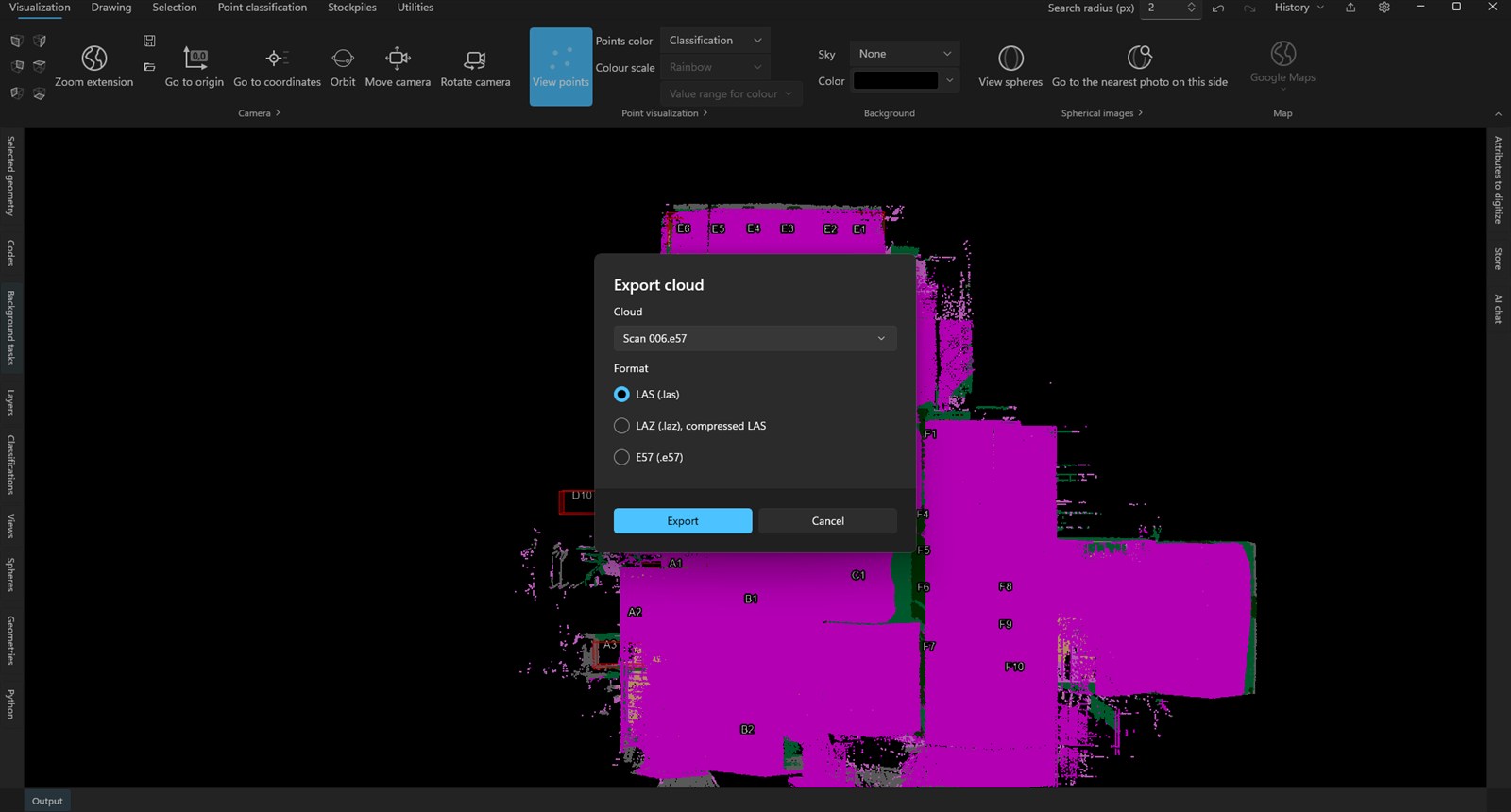
The Export cloud command of Lot Of Points writes a cloud to LAS, LAZ or E57 with its edits and added points.
- It exports local clouds and Azure clouds whose owner allows exporting them.
- Scripts and extensions can export clouds with the
export_cloudfunction of the Lot Of Points software development kit (SDK).
Instructions
This feature is part of Lot Of Points and is not installed. Lot Of Points exports clouds only on computers that have a license for the lop.exportacion module activated.
Requirements
- License of the
lop.exportacionmodule activated on the computer. Without a license, the Export cloud button stays visible and, when you click it, lop shows "License required" with the Open the Store button. The Store offers a 7-day demo. - An open cloud that can be exported: a local cloud or a remote cloud whose owner allows exporting it in the project catalog.
Where to find the command
Export cloud button in the title bar, next to the Settings button.
Steps
- Click Export cloud.
- In the Export cloud dialog, choose the Cloud.
- Choose the Format: LAS, LAZ (compressed LAS) or E57.
- If the local cloud has a
.transform.jsonfile, choose the Coordinates: "Oriented" (with the transformation, world coordinates) or "Original" (those of the cloud file). - Click Export, choose the destination file (suggested name: the name of the cloud plus
_exported) and wait. Lot Of Points shows the progress in the status bar.
Results
- Writes a file with the points of the cloud, its confirmed edits and the added points. When it finishes, the status bar shows "N points written to <path>."
- If you cancel, the status bar shows "Export cancelled." and lop deletes the destination file if it is 0 bytes.
- Scripts and extensions export with the
export_cloudfunction of the SDK; this license permission also enables it.
Common problems
- "There are no clouds that can be exported: a remote cloud is exported only if its owner allows it in the project catalog."
- "The project catalog does not allow exporting "…", or it could not be read again."
- "The task "…" has reserved the cloud you want to export for editing; wait for the task to finish or cancel the task."
- On a remote cloud, cancelling can take about 3 minutes: each pending read makes up to 3 attempts of 60 seconds.