Stockpiles

Digi21 · Extension for Lot Of Points · lop.acopios

Calculates the volumes of the stockpiles in a warehouse from its point cloud.

The Stockpiles extension classifies the cloud of a warehouse, calculates the volume of each stockpile by zones and draws the walls and the zone labels in a GeoPackage, like the stockpile tool in MDTopX.
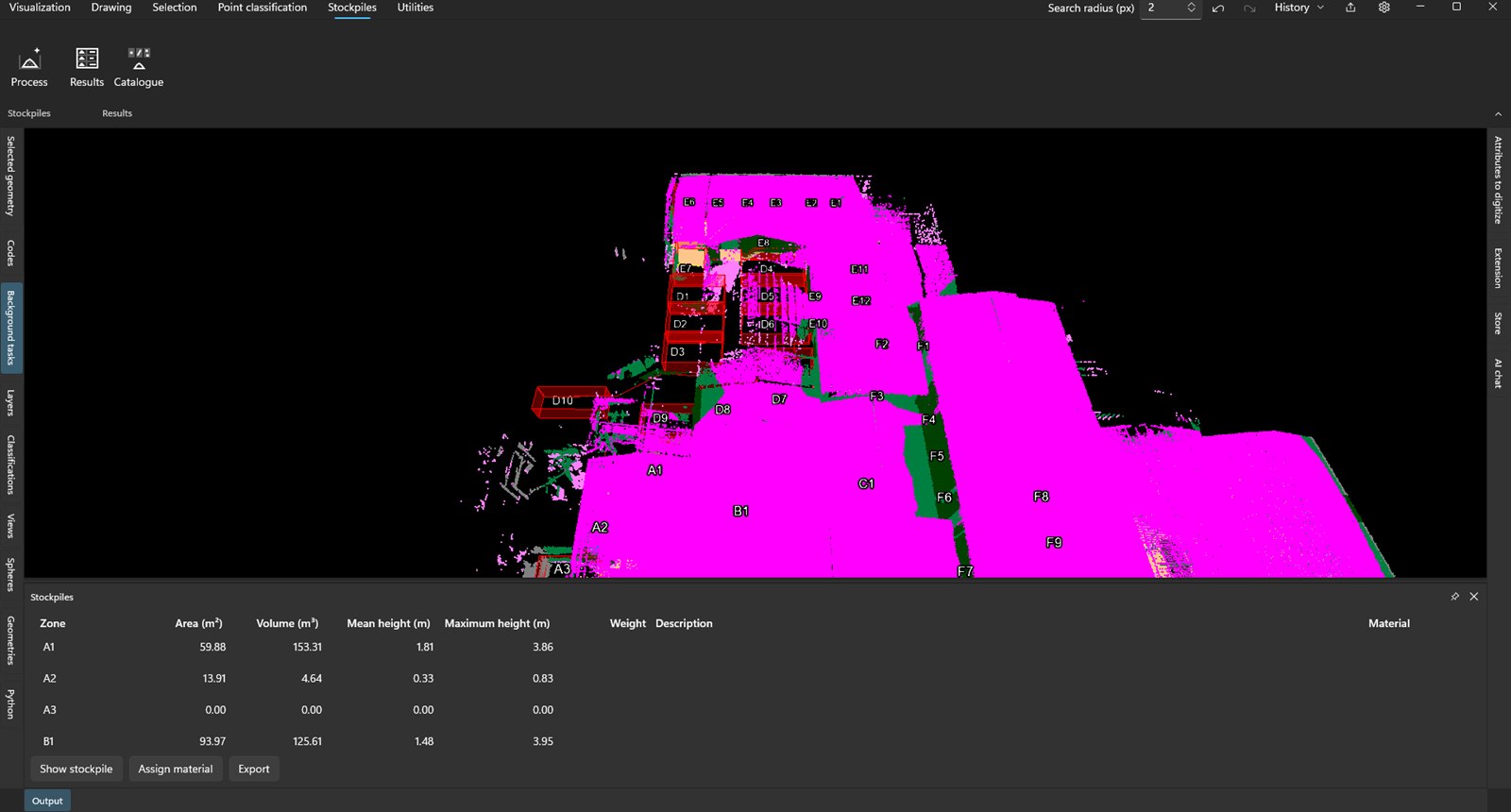
Stockpiles

Instructions

Install the extension from the Lot Of Points store: open the Store panel on the right edge of the window, find the extension and click Install. Restart Lot Of Points: lop loads the extension at the next startup.

Requirements

  • Lot Of Points 1.0.29 or later.
  • License of the lop.acopios module activated on the computer. Without a license, click Request a demo on the extension page (7 days).
  • A local, visible and editable cloud of the warehouse, with coordinates in metres.
  • A wall model: LAS or LAZ cloud with the theoretical walls of the warehouse.
  • A DXF zone drawing in the coordinate system of the wall model, with a closed polyline per zone and, inside each one, a text with the name of the zone.

Where to find the command

Tab Stockpiles, section Stockpiles, button Process. The Results section has the Results and Catalogue buttons.

Steps

  1. Open the cloud of the warehouse.
  2. Open Settings, choose the Stockpiles page and, in the Process: Files group, choose Wall model and Zone drawing. If needed, adjust Thinning cube side length (0.02 m), Minimum line length (0.5 m), Maximum gap between segments (0.5 m), Raster cell size (0.1 m) and Height of the zone walls (3 m).
  3. Click Process and wait for the task in the Background tasks panel: it orients each cloud with the wall model, measures the volume of the stockpile of each zone and classifies the points.
  4. When Process finishes, lop makes the tabs of the Stockpiles and Materials panels blink: click a tab to open its panel. In the Stockpiles panel, Show stockpile moves the camera to the stockpile, Assign material assigns a material to it and Export saves an Excel workbook (acopios.xlsx by default).
  5. Click Catalogue to add, modify or delete materials (name, density in t/m³ or kg/m³) and zone-description-material relations. The weight is the volume times the density of the material.

Results

  • Classifies the points by zone (class 11 plus the zone index) in a single editing event that Undo reverts. Names each class with the name of its zone.
  • Writes zonas.gpkg, acopios.json and transformaciones.txt in <cloud file>.extensions\lop.acopios and loads zonas.gpkg (zones, zone walls, drawing lines and zone labels).
  • A new Process keeps the materials and descriptions already assigned.

Common problems

  • "Stockpiles: no file has been selected for "…". Choose it in Settings, page "Stockpiles", group "Process: Files"."
  • "Stockpiles: there is no visible, local and editable cloud in metres to process."
  • "Stockpiles: the zone drawing … has no text inside a closed polyline."
  • "Stockpiles: the wall model … cannot be read."
  • "Stockpiles: …: the orientation has failed: …" or "… the measurement has failed: …"

Versions

1.0.0 released on

Requires Lot Of Points 1.0.29 or later.

First version