Working without a code table
[caption id="attachment_412" align="alignright" width="300"]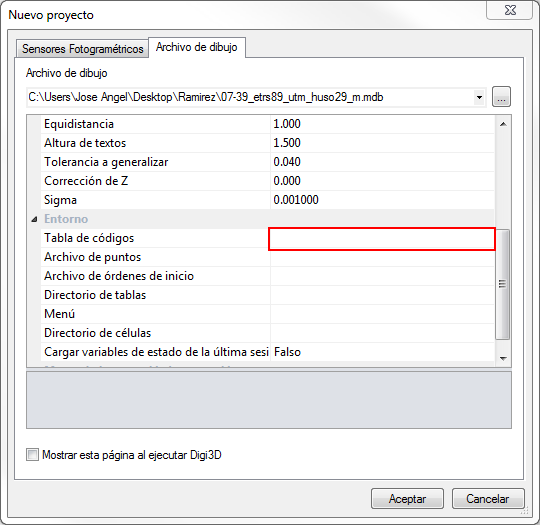 New Project dialog box showing the empty code table field.[/caption]
We have added a new functionality to Digi3D.NET that will allow you to load any drawing file without having to create a code table first.
If in the dialog box New project, in the tab Drawing file we leave blank the field Codes table, when loading a drawing file, the corresponding importer will create a code table in memory with the codes extracted from the drawing file itself.
If the drawing file we are loading is a self-contained file in a database, such as Shapefile or Geomedia Datawarehouse, this code table will also incorporate the database scheme, so that when selecting a code as active, in the properties pane Database fields Digi3D.NET it will show us the fields to add in the database when we store a new entity.
In the near future we will have a command that stores this code table to be able to modify it with the program Code table editor.