Texture fills
DigiNG.NET allows us to select a texture as fill in closed lines, polygons and topologies.
If you want to add a texture as a fill, just follow these steps:
- Create/buy/locate on the internet the texture you want to use as background.
- Make sure that the size of this is multiple of a power of 2, i.e. 2,8,16,32,64,128,256,512,1024,...
- Copy it to your symbol directory.
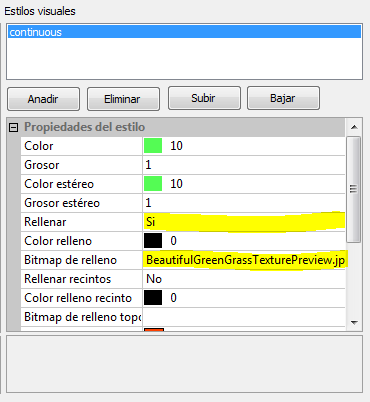
- Edit the code table and change the Fill in property of the code in question to Yes.
- Select the texture to be used in the field Fill-in bitmap.
If we draw a closed line with that code, or a polygon (and as long as we have the flag FILL IN to true, DigiNG.NET will show us the line filled with the texture. The texture will repeat indefinitely until filling the entity in question.
If the polygon has gaps, they will not be filled with texture.
