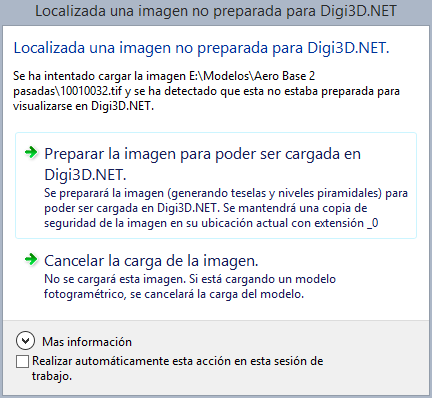
Usability improvements when detecting images incompatible with the photogrammetric window
Until now, if it was detected that an image was not compatible with Digi3D.NET (it was not tesselated or lacked pyramidal levels) the program showed a dialog box asking if we wanted to transform it to make it compatible.
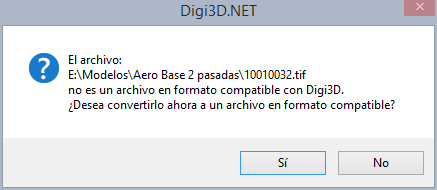 The disadvantage of this dialog box is that the answer we selected was valid only for the image in question, so if another incompatible image was found, the same dialog box would appear again.Imagine if you have a project with 1000 images and none of them were prepared...
We have changed this dialog box for another one that provides much more information and that also has the characteristic that it includes a box that we can check to indicate that the action we perform during the work session is memorized (that is, until we close the program), so that if we activate the box and indicate that the images are transformed, this dialog box will not appear again and whenever it is necessary to transform an image it will be transformed automatically.