Productivity improvements in Bintram and Bintop thanks to the latest changes to the generic code selection dialog box
Digi3D.NET has always had a generic dialog box that uses several commands that require the user to select one or more codes. This dialog box internally we call DialogoBuscarCodigos and commands that require it can use it to ask the user for codes.
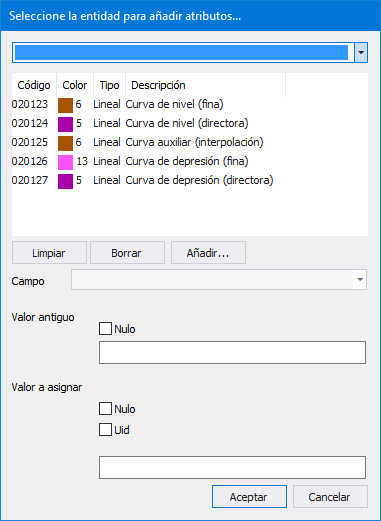
This dialog box looks like this:
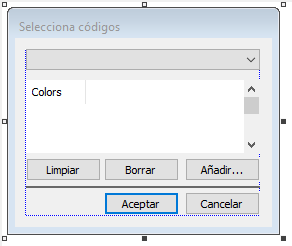 If you notice, there is a horizontal line between the first and second row of buttons. This row is not visible to the end user when a command displays this dialog box. It is hidden when executing a command that only requests codes, or replaced by more windows if the particular command requires more information than a series of codes.
The commands that use this dialog box without additional information are the following:
PROJECT_COD, DELETE_COD, CONTOUR_HEIGHTS, EXPLOIT_COMPLEXES_COD, EXTRAER_PUNTOS, OFF, OFFD, OFFS, ON, OND, ONS, ON_SOLO, RECOVER_COD, TAG_CONTOURS, ROTULA_NEMOTECNICO, TAG_Z, SELECT_COD, MODELO_SEMANTICO_COD, DRAW_E.
And the commands that use this dialog box adding additional information are the following:
CHANGE_DDBB_VALUES, DELETE_COD_W, EXTRACT_CENTROIDS_COD.
Below you can see for example how the command DELETE_COD_W modifies the dialog to request information:
If you notice, there is a horizontal line between the first and second row of buttons. This row is not visible to the end user when a command displays this dialog box. It is hidden when executing a command that only requests codes, or replaced by more windows if the particular command requires more information than a series of codes.
The commands that use this dialog box without additional information are the following:
PROJECT_COD, DELETE_COD, CONTOUR_HEIGHTS, EXPLOIT_COMPLEXES_COD, EXTRAER_PUNTOS, OFF, OFFD, OFFS, ON, OND, ONS, ON_SOLO, RECOVER_COD, TAG_CONTOURS, ROTULA_NEMOTECNICO, TAG_Z, SELECT_COD, MODELO_SEMANTICO_COD, DRAW_E.
And the commands that use this dialog box adding additional information are the following:
CHANGE_DDBB_VALUES, DELETE_COD_W, EXTRACT_CENTROIDS_COD.
Below you can see for example how the command DELETE_COD_W modifies the dialog to request information:
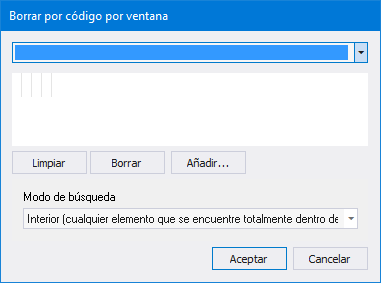 This dialog box had a very important limitation: When resize vertically expanded the lower area of this, as you can see in the following screenshot of the same command DELETE_COD in which we have expanded vertically:
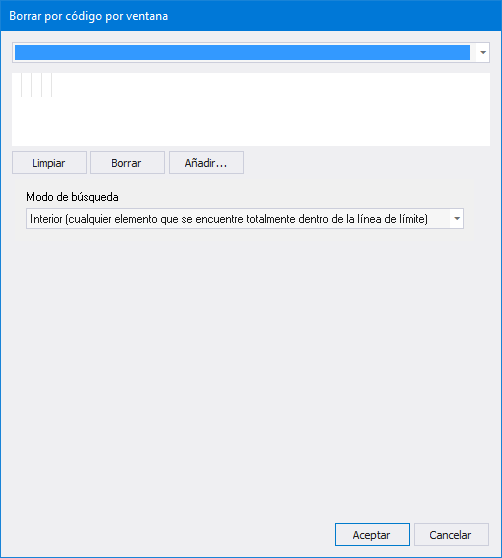 As you can see, when extending the dialog box vertically, it grew in a way that was not expected by the user.
We have modified this dialog so that it is the part of the code list that grows, so this same command now looks like this if the user has chosen to expand vertically:
As you can see, when extending the dialog box vertically, it grew in a way that was not expected by the user.
We have modified this dialog so that it is the part of the code list that grows, so this same command now looks like this if the user has chosen to expand vertically:
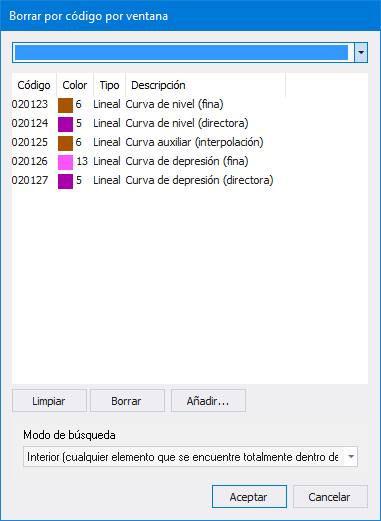 As you can see, now the dialog box behaves much better, it fits perfectly to our intentions and also expands the bottom to fit the content of the dialog box. Below we show you the content of the command CHANGE_DDBB_VALUES to check how it grows if there are more windows:
 Well, because this last functionality (that of expanding automatically to accommodate the windows added by the commands that add windows to this dialog box), was not implemented previously and was one of the reasons why we decided that the dialog boxes of the BINTRAM and BINTOP commands did not use this common dialog box.
I show you below a screenshot of the command BINTRAM with the version of Digi3D.NET that is hanging today on the server:
Well, because this last functionality (that of expanding automatically to accommodate the windows added by the commands that add windows to this dialog box), was not implemented previously and was one of the reasons why we decided that the dialog boxes of the BINTRAM and BINTOP commands did not use this common dialog box.
I show you below a screenshot of the command BINTRAM with the version of Digi3D.NET that is hanging today on the server:
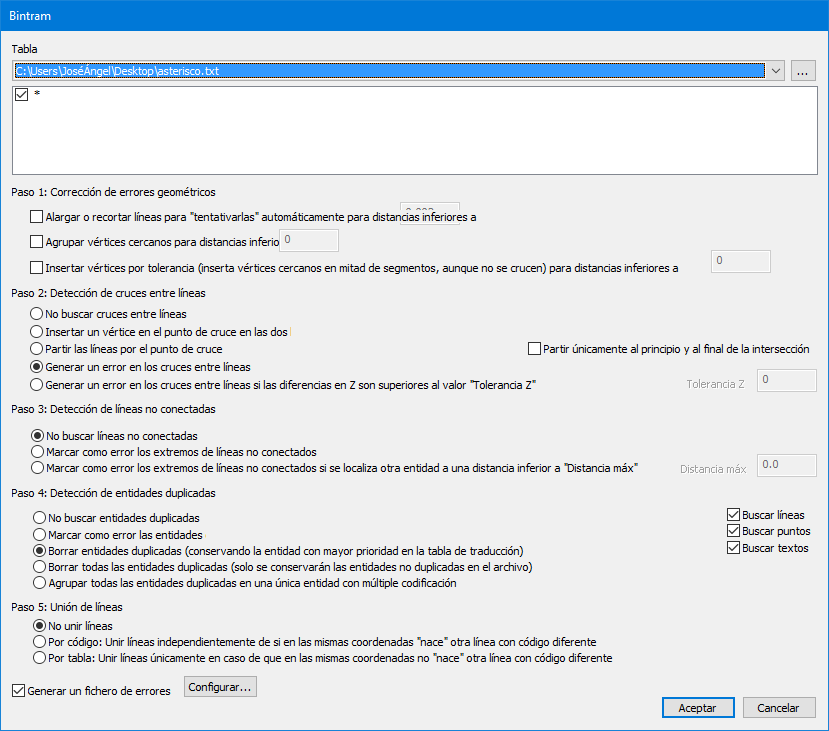 This dialog has been in the .NET version for six years and as you can see it uses the old system of tables in files, so if we want to detect intersections between contour lines we will have to create a file with the codes of the contour lines and then select the file.
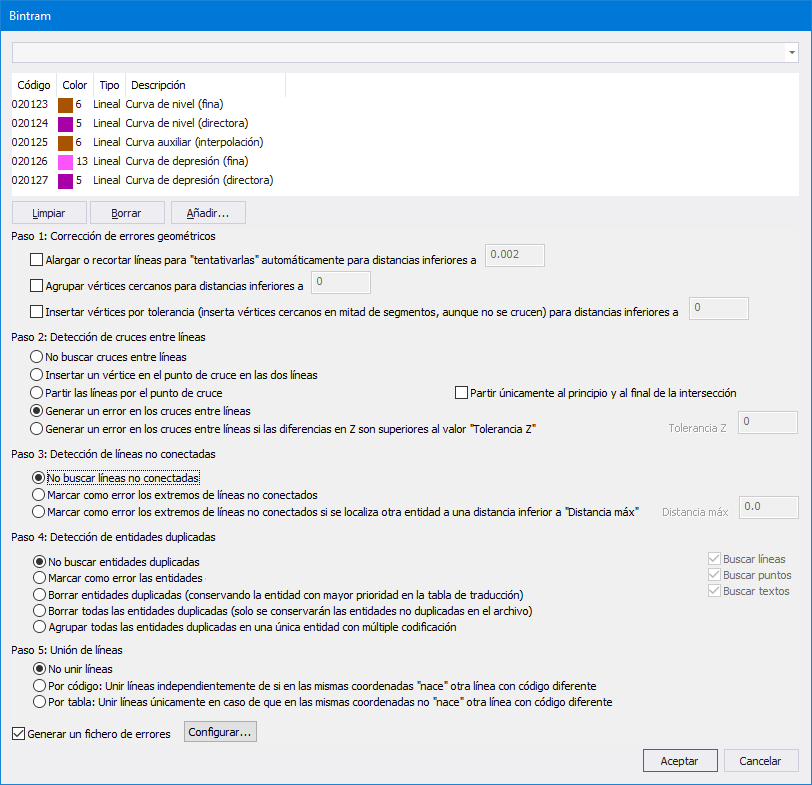
Below I show you the new dialog box that now uses the common dialog box DialogoBuscarCodigos:
This dialog has been in the .NET version for six years and as you can see it uses the old system of tables in files, so if we want to detect intersections between contour lines we will have to create a file with the codes of the contour lines and then select the file.
Below I show you the new dialog box that now uses the common dialog box DialogoBuscarCodigos:
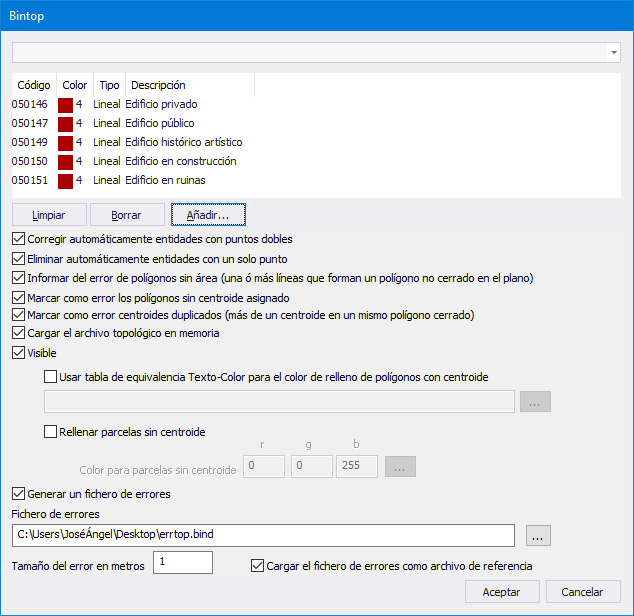
 ...and the same for the BINTOP command.Below is a screenshot of the old BINTOP dialog:
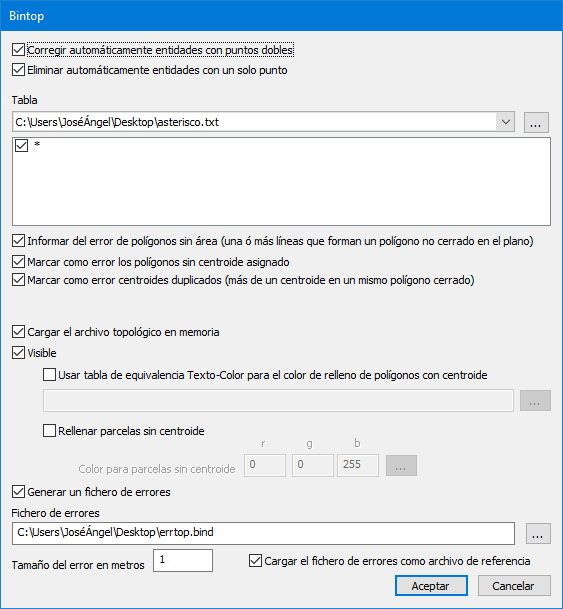 which does not have the same problems as the old BINTRAM command: it required us to create text files and to locate them on the hard disk in order to be able to run them.
 In the following video you can see this new functionality in action: