Marking the vertices of the selected entities
[caption id="attachment_420" align="alignright" width="292"]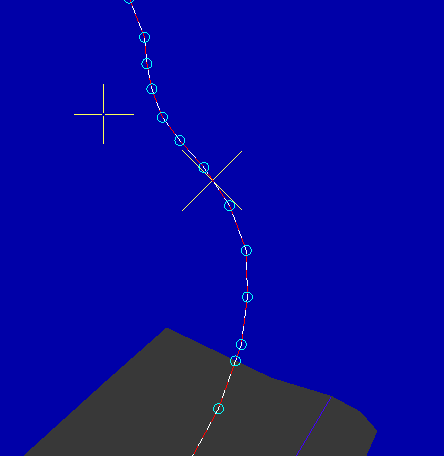 Digi3D.NET showing the vertices of a selected line as circles with a width of 5 pixels and with light green color.[/caption]
Digi3D.NET allows us to configure the display parameters of the marks that are inserted on each vertex of the entities selected by the user.
When selecting an entity, Digi3D.NET displays an animation to indicate the direction in which it was digitized (drawing parts of the selected entity in white and parts in red, which move to generate an animation effect), as well as some marks that indicate the location of the vertices that form the selected entity, so that the user knows if he is near or far from a vertex.
The user is free to configure the appearance of these marks by changing the settings in the dialog box Configuration, in the section Selected entities vertices. we have the following options:
| Field | Description | Default value |
|---|---|---|
| Mark type | Indicate the type of mark we want to show Digi3D.NET on each vertex. We can select from the following options: * Do not show any mark * Show a square * Show a triangle * Show a circle | Square |
| Size | Indicates the semi-width in pixels of the brand to be used. | 5 pixels |
| Color | Indicates the color with which the mark will be drawn. | Solid Blue (without transparency) #0000FFFF |