Limiting the zoom factor in the drawing window
[caption id="attachment_593" align="alignright" width="300"]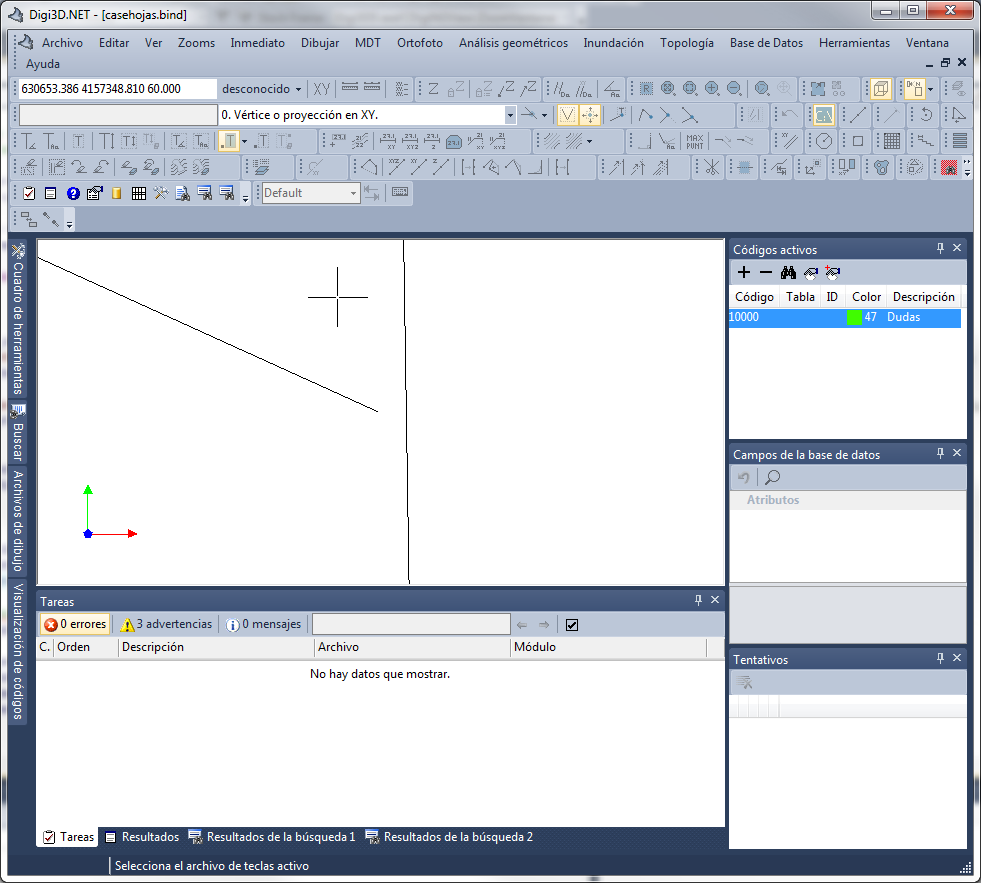 Line that reaches the edge of the time but when making a significant zoom factor seems to be separated. The total width of the screen on the ground does not reach the centimeter[/caption]
Digi3D allows us to perform unlimited Zooms in the drawing window.
The program shows a grid when it considers that the user has zoomed big enough, but until now the user was free to keep zooming and zooming until you see an effect in which two lines that are connected appear as disconnected.
This is a graphics card rendering effect, in fact if we measure the distance between where the graphics card is rendering the end of the line and where the distance should be, it is zero.
This effect is due to the fact that the graphics cards do not work with double precision, they work with simple precision (which complicates the programming of Digi3D, because this to solve these rounding problems has to cut the models in tiles, not easy task when we have textures, polygons, fonts, ...).
Despite Digi3D.NET's effort to minimize this problem, there comes a time when this effect is seen.
To solve the problem of the user zooming so much, we have added two options in the configuration of Digi3D.NET, in the menu Tools/Configuration/DigiNG:
| Option | Description | Default value |
|---|---|---|
| Limit maximum zoom | If enabled, Digi3D.NET will limit the zoom factors in the photogrammetric window. | Disabled |
| Window size | Minimum size of the drawing window | 1 meter. |
We can set a maximum zoom factor in the drawing window of DigiNG.