Saving the active code table
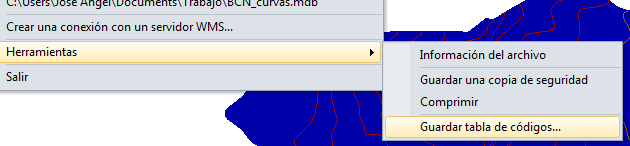 Digi3D.NET allows you to save the code table you are working with using the menu option File/Tools/Save code table.
This option is very useful if you are working with a code table generated automatically by Digi3D.NET, as explained in the post Working without code table.
By selecting this option, Digi3D.NET will display a Save As dialog box which allows you to store the code table in a file. This way you can modify it (such as assigning colors, restrictions to database fields, assigning translation parameters, ...) with the code table editor.