Generating volumes for building profiles.
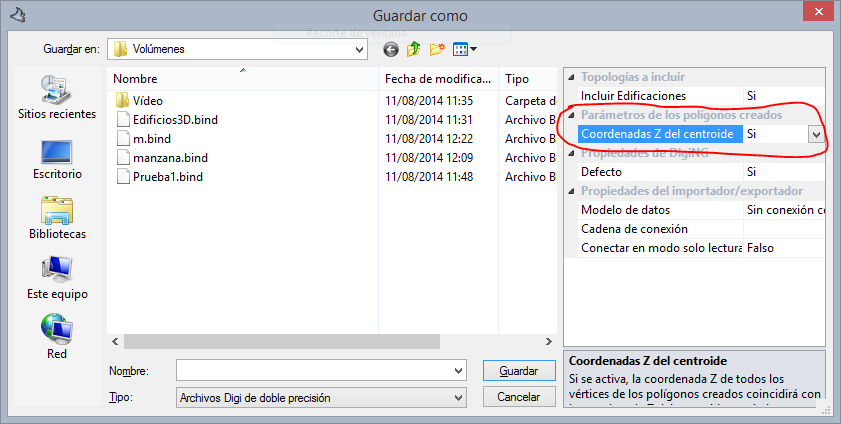 We have added new functionality to the topologies to polygons exporter in Digi3D.NET.
Now we can indicate if we want the Z coordinate of all the vertices of the exported polygons to coincide with the Z coordinate of the centroid associated with the polygon, so that the polygons formed create planes whose Z coincides with that of the centroid.
This new functionality is ideal to be able to make cross-sectional profiles in buildings areas of buildings. For this, the divisions of the buildings must be topologically valid and all areas must have a centroid whose Z coordinate will coincide with the Z coordinate of the plane that defines the polygon for which it forms centroid.
Here are the steps to create a file with volumes:
- Load the cartography
- Generate topologies using the Topology/Create Topologies menu option.
- Export the polygons using the menu option Topology/Advanced/Export polygons to file.
- The Save As dialog box appears.
- In the section Parameters of created polygons change the value of the field Z coordinates of the centroid to Yes.
- Enter the name of the file to create and press the Save button.
Below you can see a video in which we show you this new feature in action: [youtube:http://youtu.be/x-iOuUy36yI]