Filter geometry display by display scale
The version 2022.1 of Digi3D.NET brings as a novelty the possibility of indicating in the code table, for each code, a scale factor below which will be represented the geometries with that code.
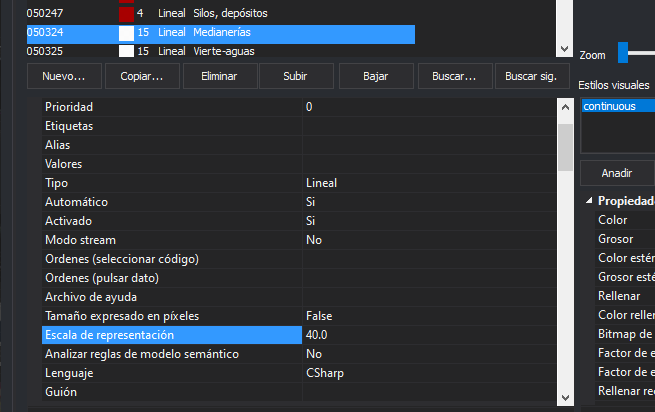
You can see in the following screenshot of the code tables editor that we have assigned to the code of Party walls a representation scale of 40. If you zoom that shows the model for example at scale 1:100, the party walls will stop displaying. If you want to always display them, you must enter a 0 in this code configuration field.
You can see this feature in action in the following video: