Stereoscopy with NVIDIA RTX 4000
There are already several users who have upgraded their graphics cards to a Quadro RTX 4000.
If we install the latest graphics card driver (which is a specific driver for Windows 10) we observe the following:
- The Enable Stereoscopy option appears disabled:
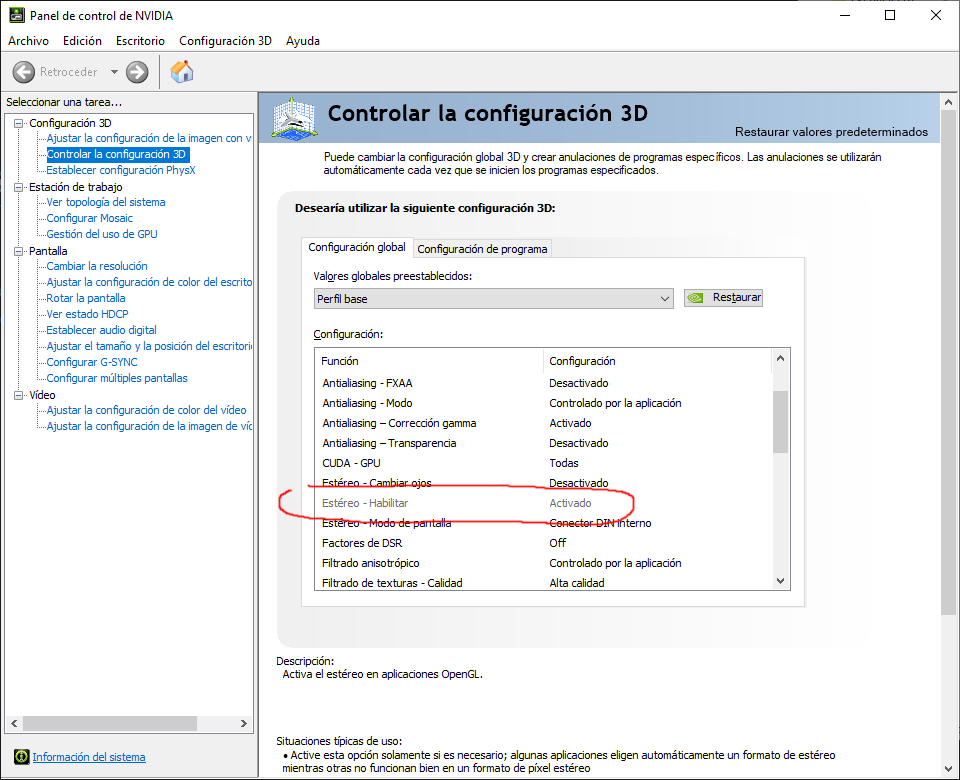
This is because now it is Windows that manages stereoscopy.
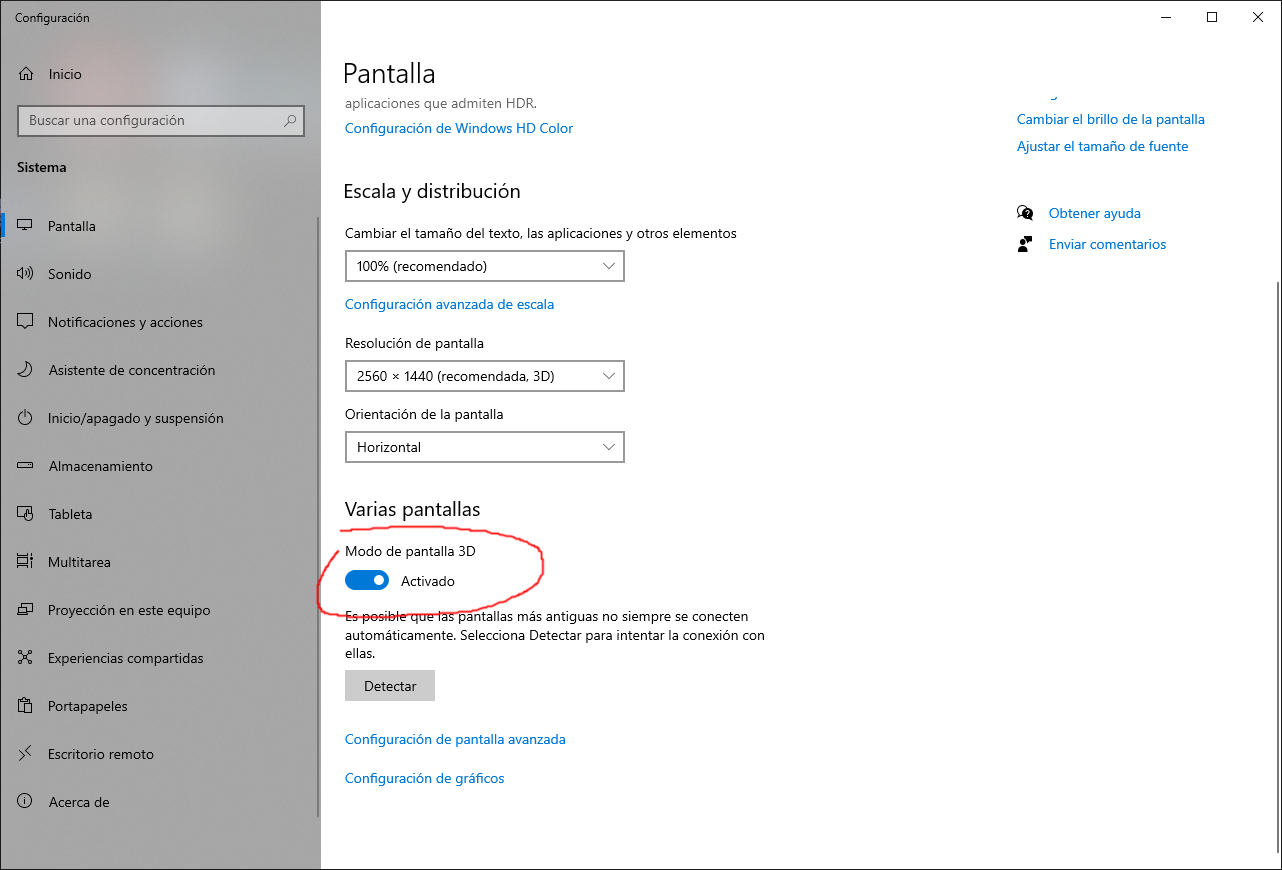
To enable stereoscoping, we have to enter "Display Settings" of Windows and enable the option 3D:
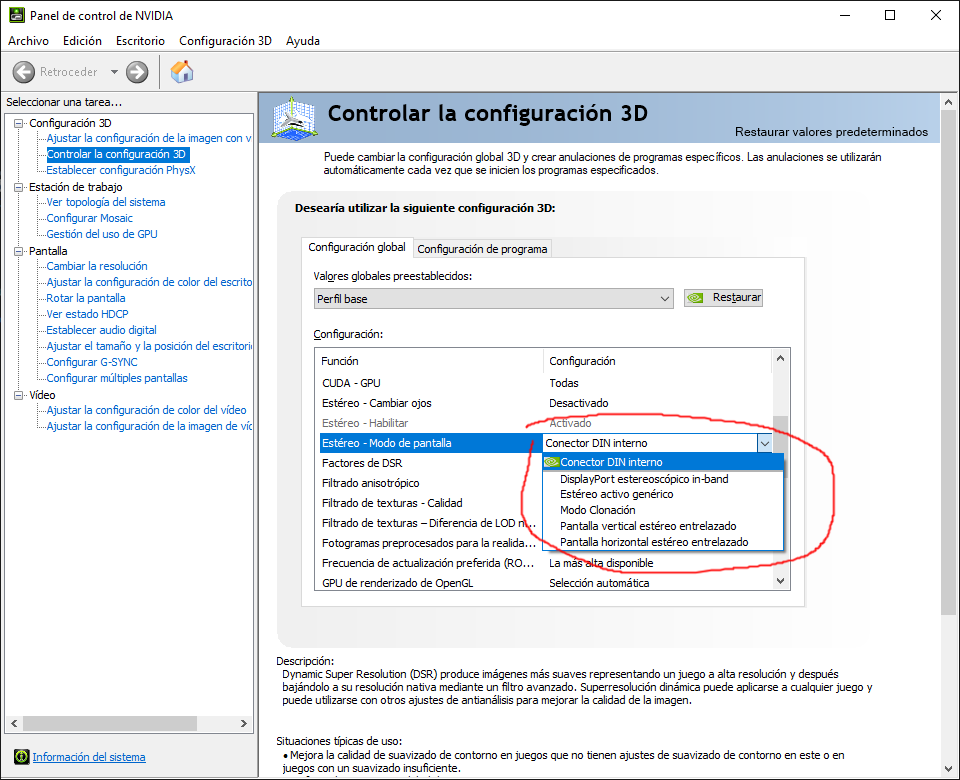
- We cannot select the IR Emitter option in the "Stereo - Screen Mode" option and also our emitter does not turn on:
As we explained in a previous post, the graphics card driver no longer includes the emitter driver.
We have to install the emitter driver manually.
Interestingly, the driver needed for Windows 10 has almost no presence in search engines, and it is complicated to locate it, but here you have it:
https://www.nvidia.com/es-es/drivers/nv3dvisionusb/390_41/nv3dvisionusb-driver/
This controller will cause your transmitter to turn on and emit stereoscopic sound.
The fact of installing this driver DOES NOT MODIFY THE LIST of the dropdown "Stereo - Display Mode" in the driver configuration, so that the option of "Infrared Emitter" will not appear as always, so you will have to select as option the Internal DIN connector option (even if you do not have the "bracket" that allows connecting the graphics card directly with the emitter).