Detecting new versions
We have made our apps automatically detect if a new version is available for download.
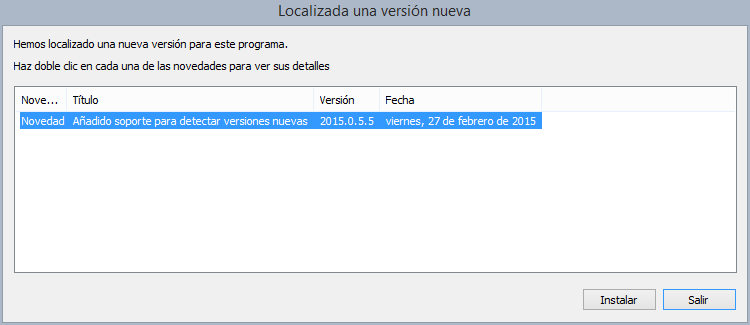
From now on, when you run a program, it will check if a new version is available. If a new version is found, a dialog box will be displayed indicating the new features of that version, allowing you to see the details of each of the new features that are part of the new version.
If we press the Install button, the download process of the new version will begin and once downloaded, it will be installed automatically.
 Some applications like Digi3D.NET allow us to configure whether or not we want to check if there is a new version every time the program is run, in addition to indicating if we want to show versions in BETA state.
For this we have the following configuration options:
- Tools/Configuration/Communication with Internet/Check Nuea Version
- Tools/Configuration/Internet communication/Allow to install BETA versions
Other applications do not allow you to configure whether or not a new version is checked every time they are run, such as applications that are part of the Licenses suite of applications. At all times we can check if there is a new version of the program you are running if you select the menu option Tools/Check new version... In the following video you can see this new functionality in action. [youtube:http://youtu.be/YPnOtAiFxbc]