Share your desktop with Digi21 technical support more easily
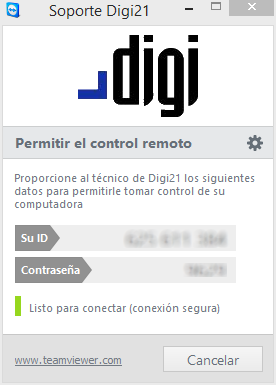 We have incorporated in the help menu of Digi3D.NET an option to share your desktop with the Digi21 support team.
If the support technician asks you to share your desktop in order to see your problem in real time or to teach you how to handle a new functionality, simply select the menu option Help/Share Desktop with the Digi21 support team...
The TeamViewer Quick Support program will appear with two numbers (ID number and password) that you will have to communicate to the support technician so that he can connect to your computer. The ID number is generated the first time the program is run and does not change, the second one changes every time you run the program.
If your version of Digi3D.NET does not incorporate this functionality, you can download the program at http://www.digi21.net, in the menu Support/Download TeamViewer Quick Support.