Reusing Delta workstation hardware in Digi3D.NET
Last week a company that had a Delta photogrammetry station (from the Ukrainian company Geosystems now called Analytica Ltd) acquired a license of Digi3D.NET.
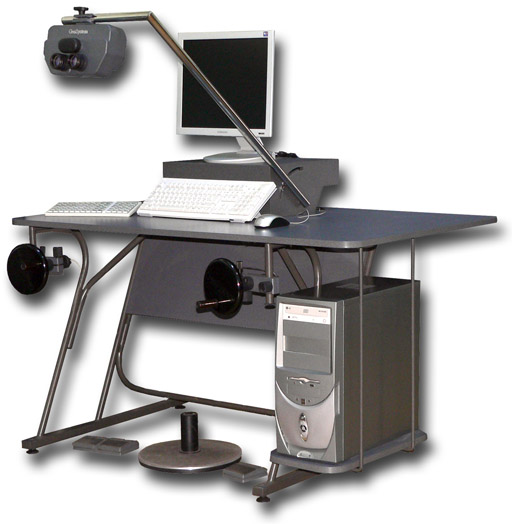
The idea was to take advantage of the 100% hardware they had (handwheels and stereoscope).
The stereoscope is trivially exploited, in Digi3D.NET you just have to configure as stereoscopic vision system the stereoscope option as you can see in the following screenshot:
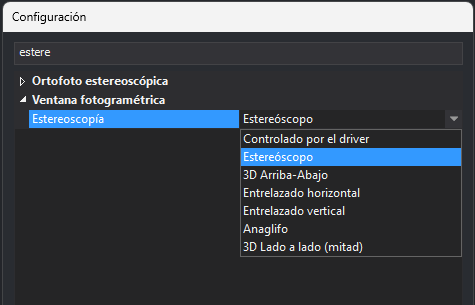
and Digi3D.NET is responsible for showing in the photogrammetric window the split screen for a stereoscope.
The problem was to take advantage of the handwheels, since the handwheels of that station are connected to a PCI v1.0 card that is plugged directly into the motherboard of the computer:
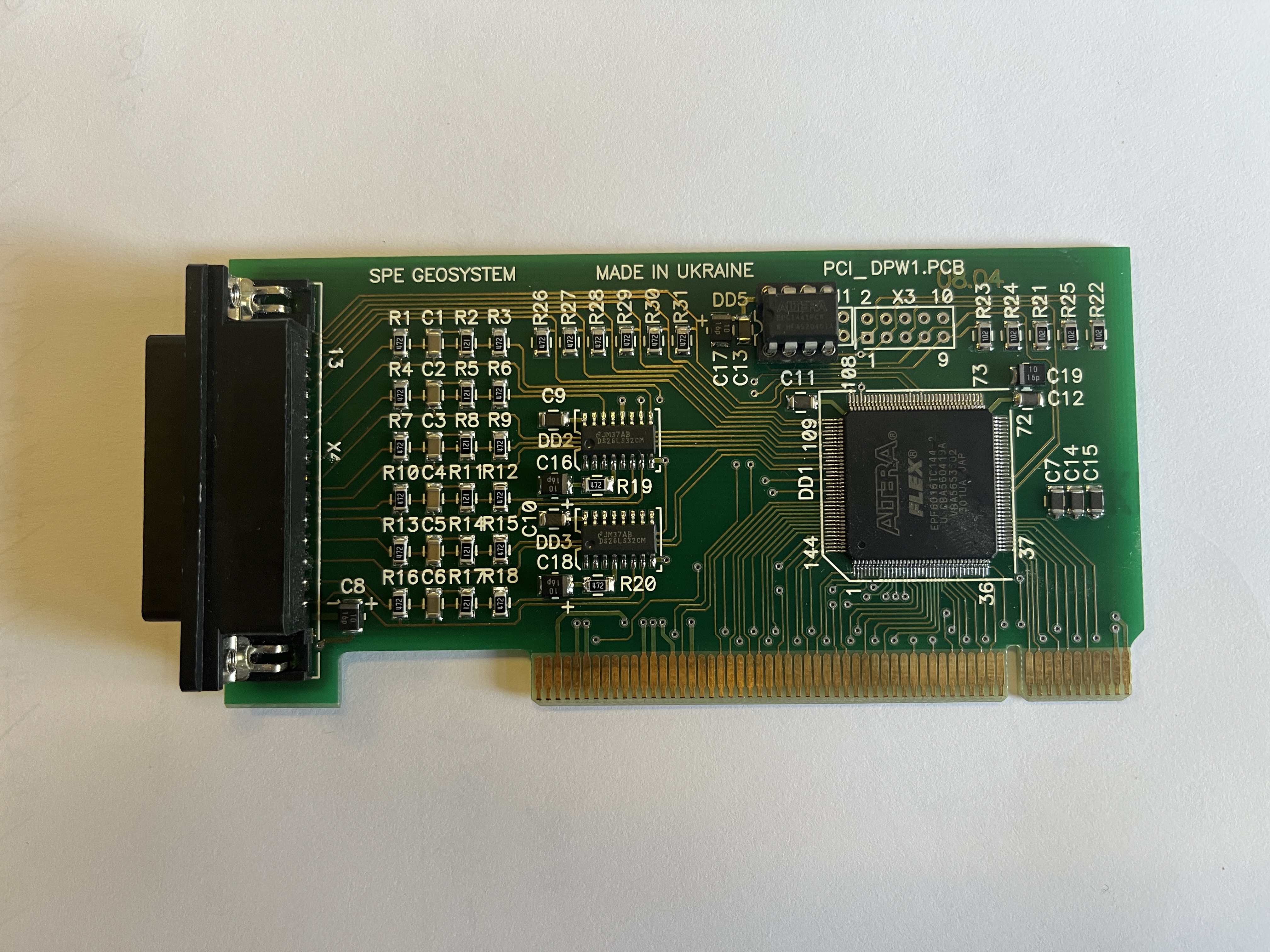
This card has two problems:
- Modern motherboards do not usually have a PCI v1.0 connector, but that can be solved by buying a PCI v1.0 to PCI express adapter that you can find on Amazon for very little money.
- This card needs a driver for Windows to recognize it, and there are no 64-bit drivers for this card, and you can't install a 32-bit driver on a 64-bit OS, so we can't connect this card on the same computer as Digi3D.NET
The only solution we have come up with is to use two computers: We have installed a Windows 10 of 32 bits (because the original machine had an XP) on the machine that had connected the card and we have created a Windows service (of 32 bits) that runs on that computer.
This service only reads coordinates from the encoder card, and when it detects any movement of handwheels or that a foot pedal has been pressed, it sends coordinates via UDP/IP to the IP address and port configured when installing the service.
We have made this service Open Source, and have hosted it in the following repository:
https://github.com/digi21/ServicioLecturaCodificadoresDPW
In that repository you can see how to read coordinates from that card, the logic to convert foot pedals to a format compatible with Digi3D.NET, how to send UDP/IP a data packet and how to create a Windows service.
On the other hand, we have added in Digi3D.NET a new type of input device (UDP/IP) in the menu option Tools/Configuration of input devices...
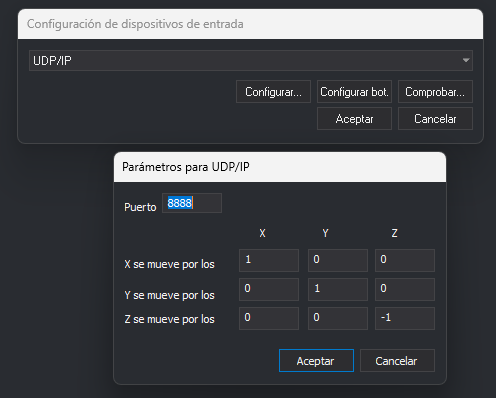
You can configure both the port on which the photogrammetric window listens for encoder coordinates and tensors (to assign speeds or change direction of movement).
You can see the new service in action and how it receives Digi3D.NET coordinates in real time in the following video: